Create a New Card
The Visa Commercial Pay App allows you to create Contactless or Online only cards.
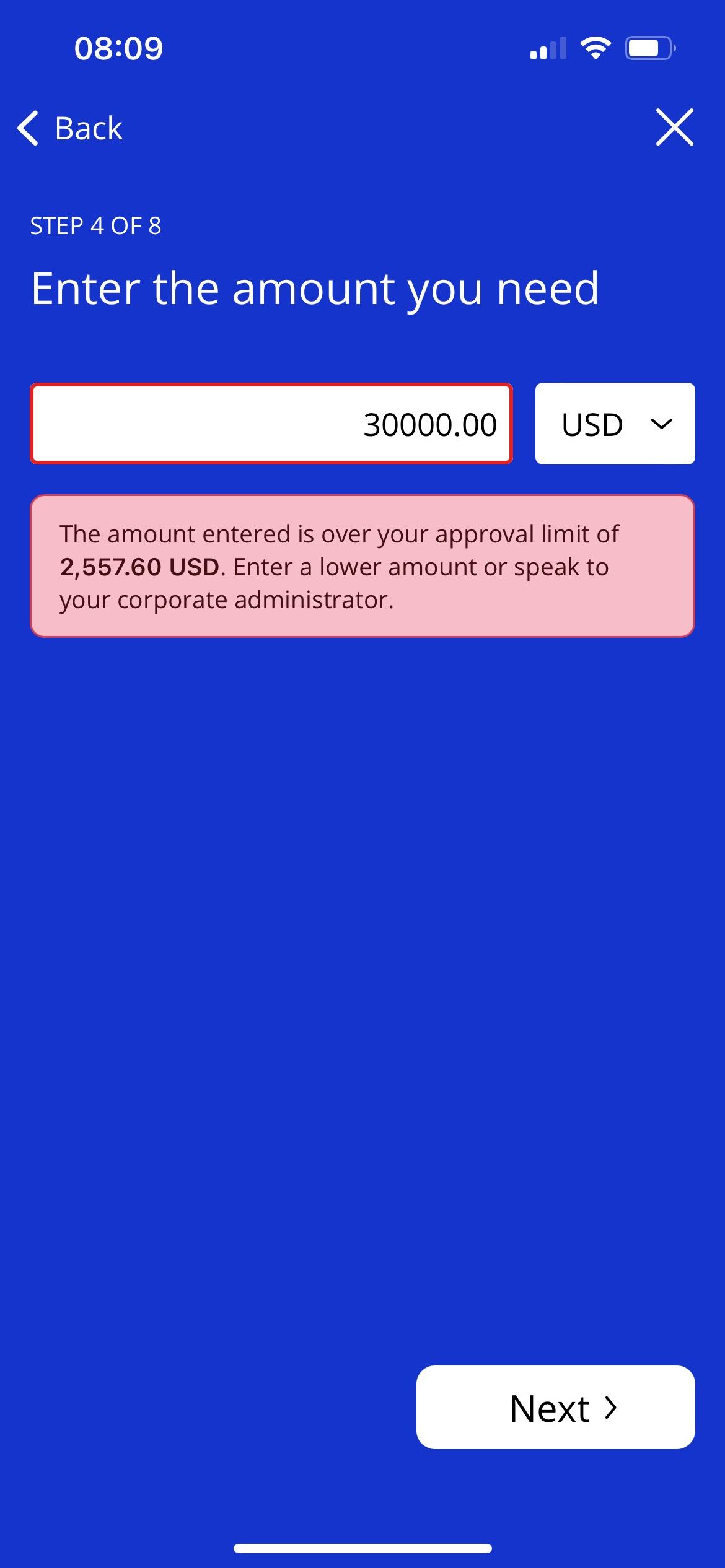
If you attempt to create a card that exceeds your approval limit you will be prevented from proceeding and a warning message will be displayed advising you to enter a lower amount or speak to your corporate administrator.
 |
Warning
You won't be able to create a new card if:
You are not part of a team.
You are linked to an approval band that only allows you to receive cards.
The amount you have requested exceeds your approval limit.
Your team's budget has been reached.
You should contact your Corporate Administrator if you cannot create cards and believe you should be able to.
Contactless or Online Only Card
You can create a card for on-the-go contactless use. This will create a virtual card that you can add to your digital wallet. Or you can create a card for online-use only. This will create a virtual card with full card details, including: a card number, expiry date and CVV number.
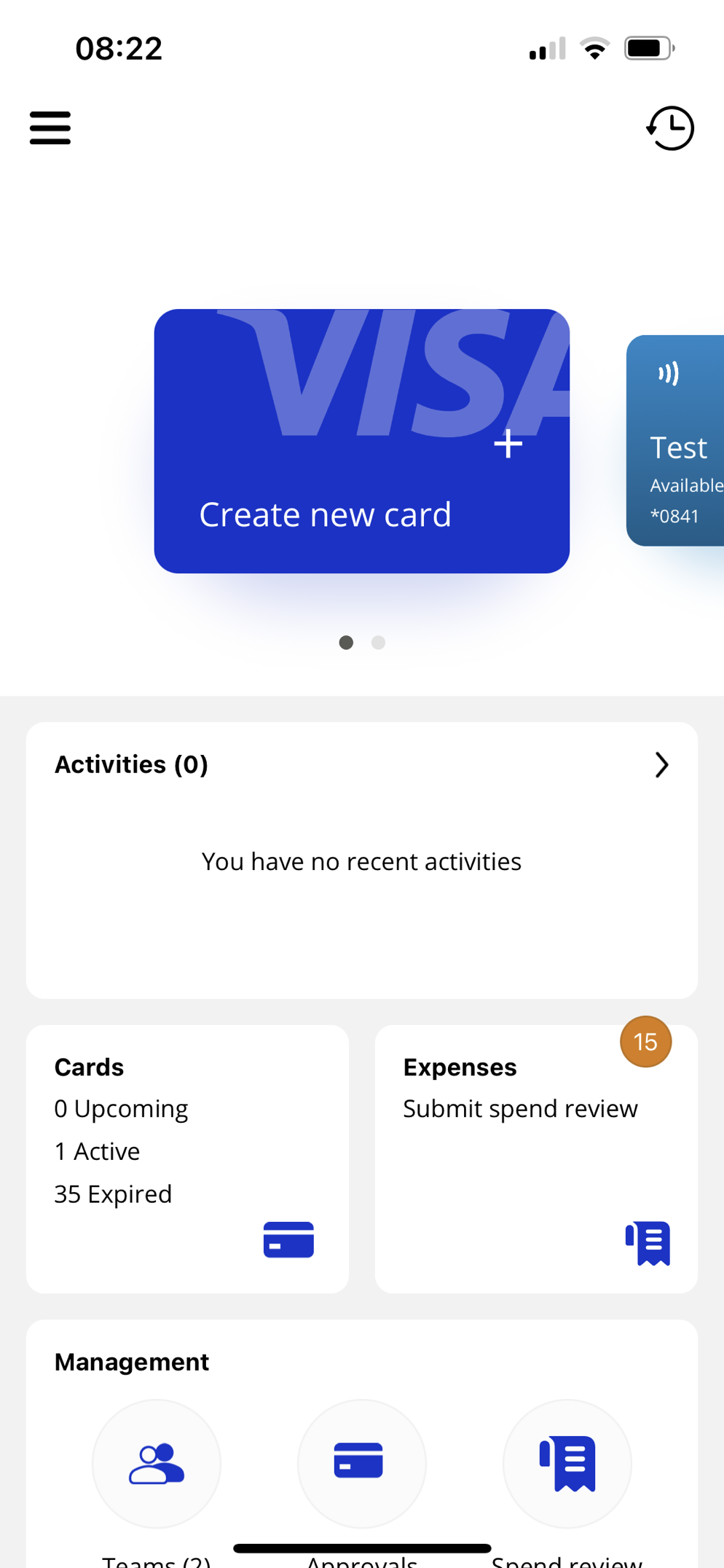
From the dashboard, tap the Create new card tile.
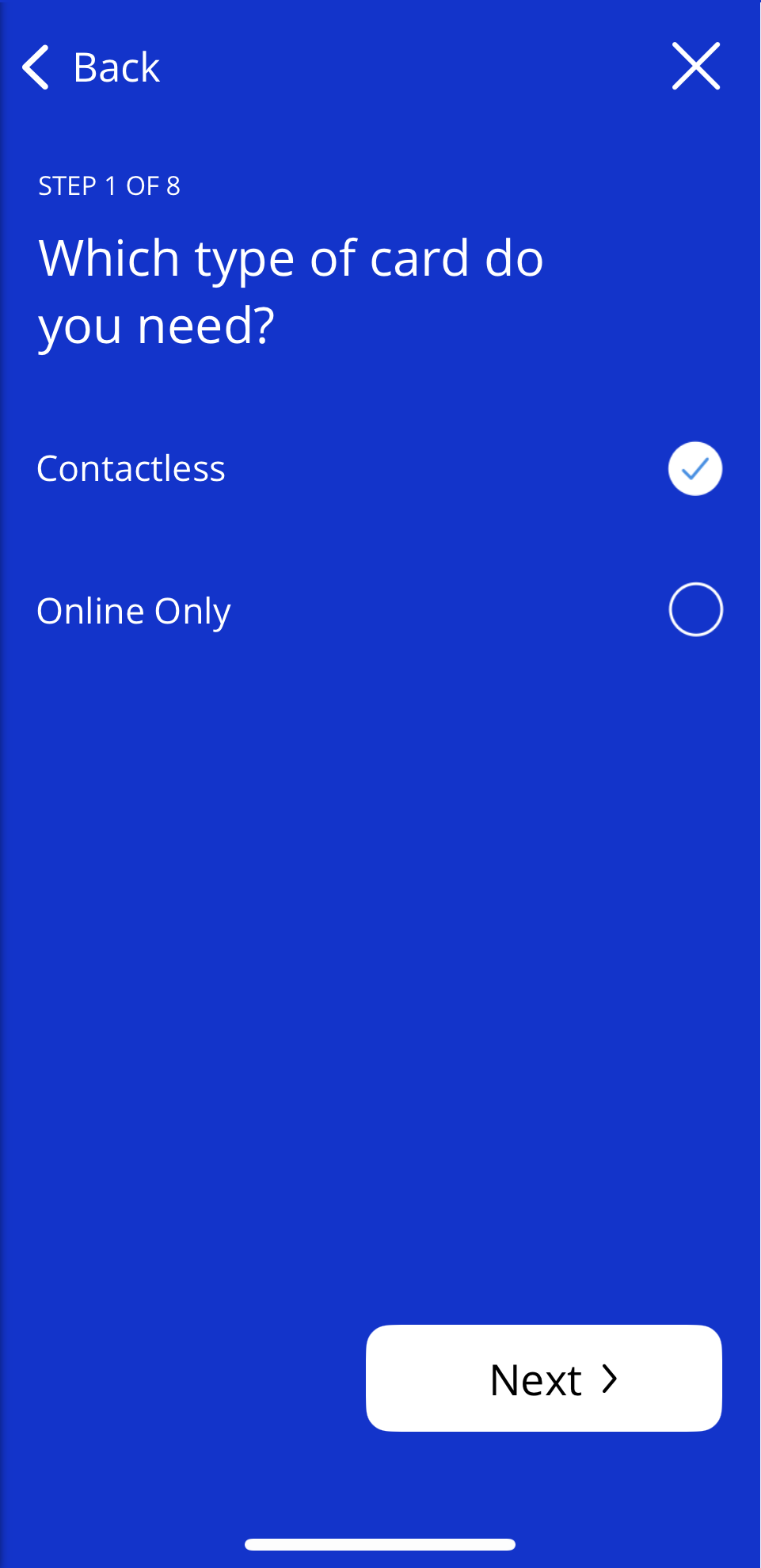
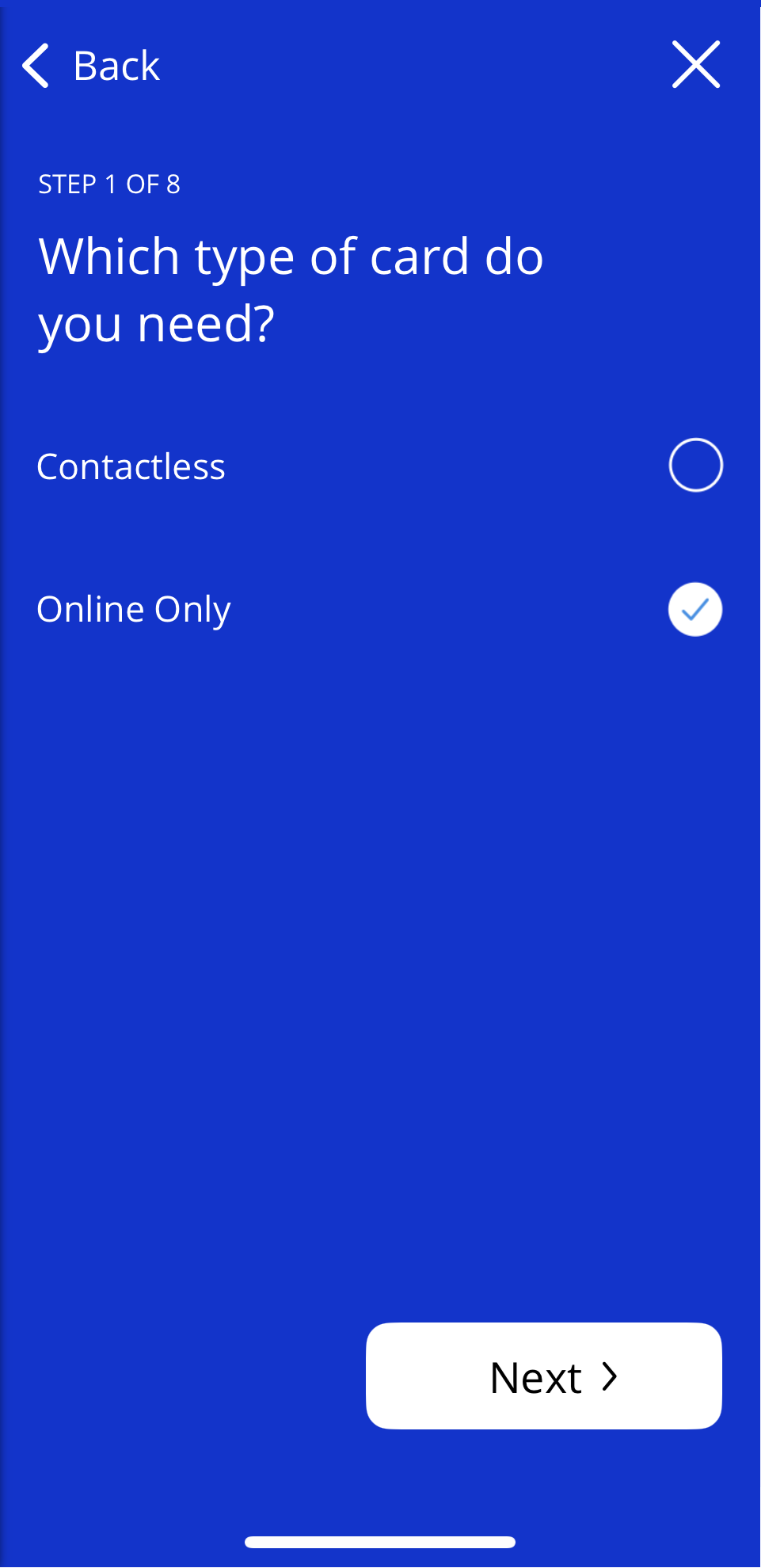
You will be prompted to select which type of card you need, tap Contactless or Online only, then tap Next.
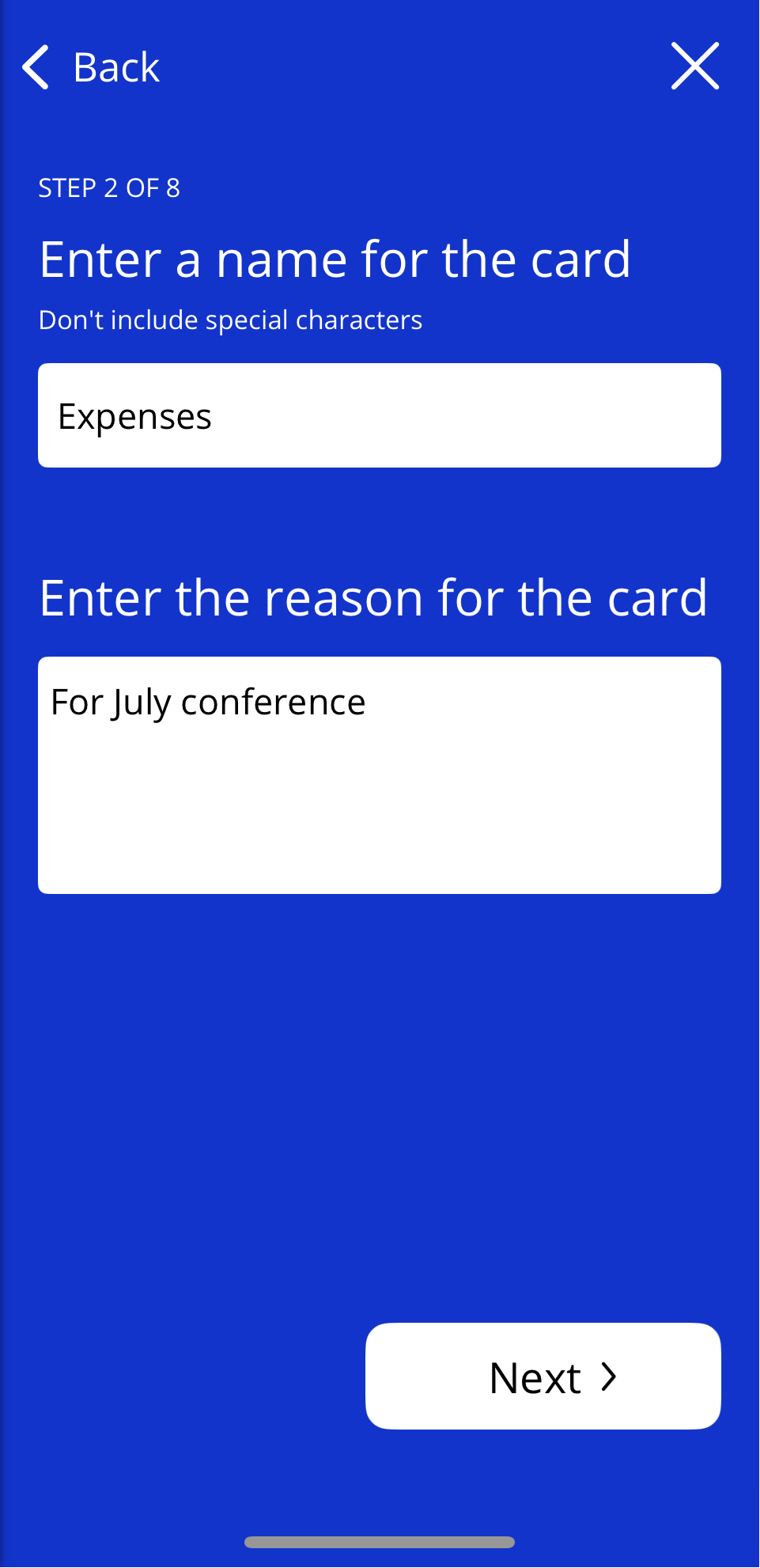
Enter a name for the card and a reason for creating the card, e.g. "July conference expenses". Both fields are mandatory.
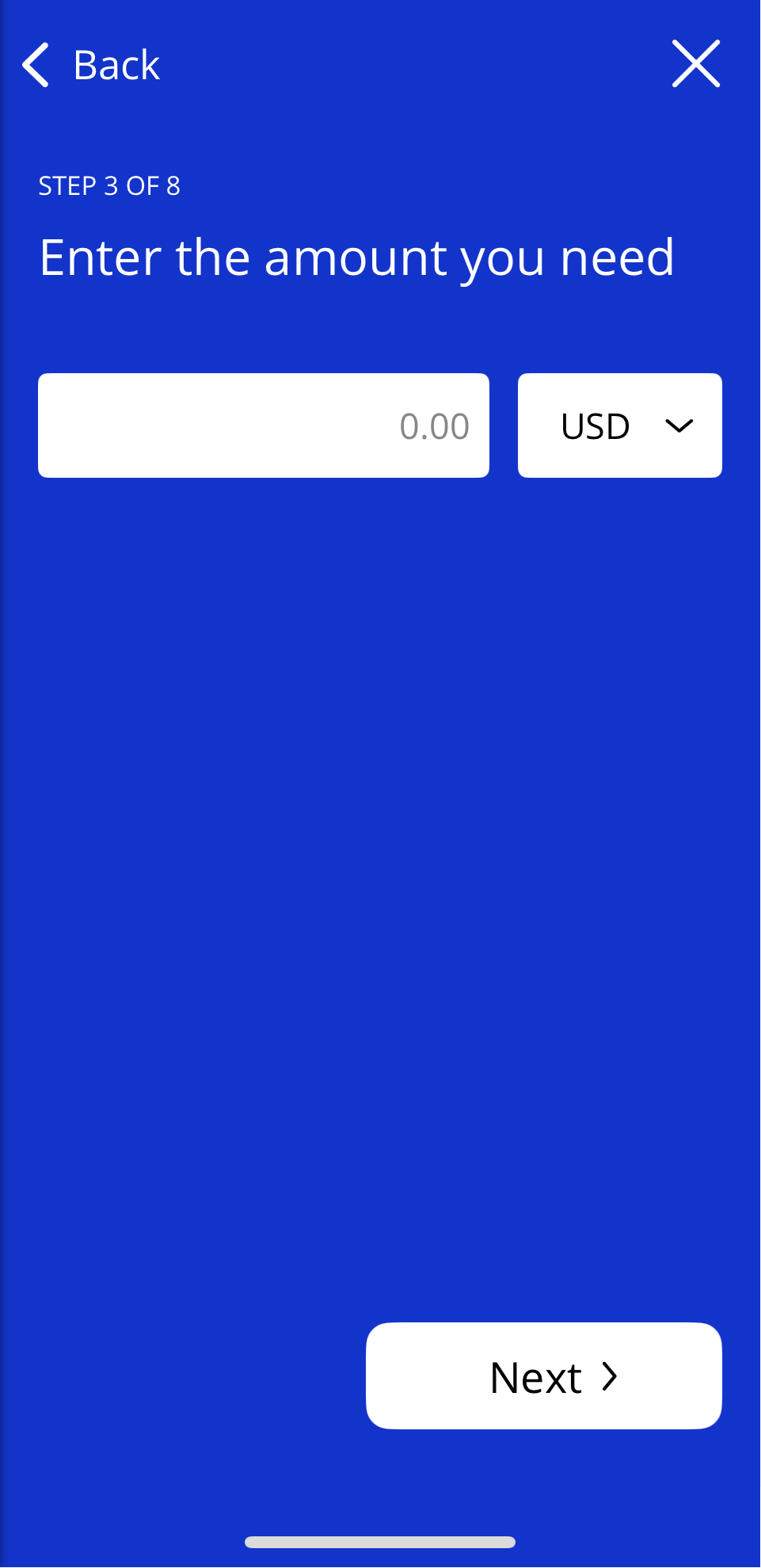
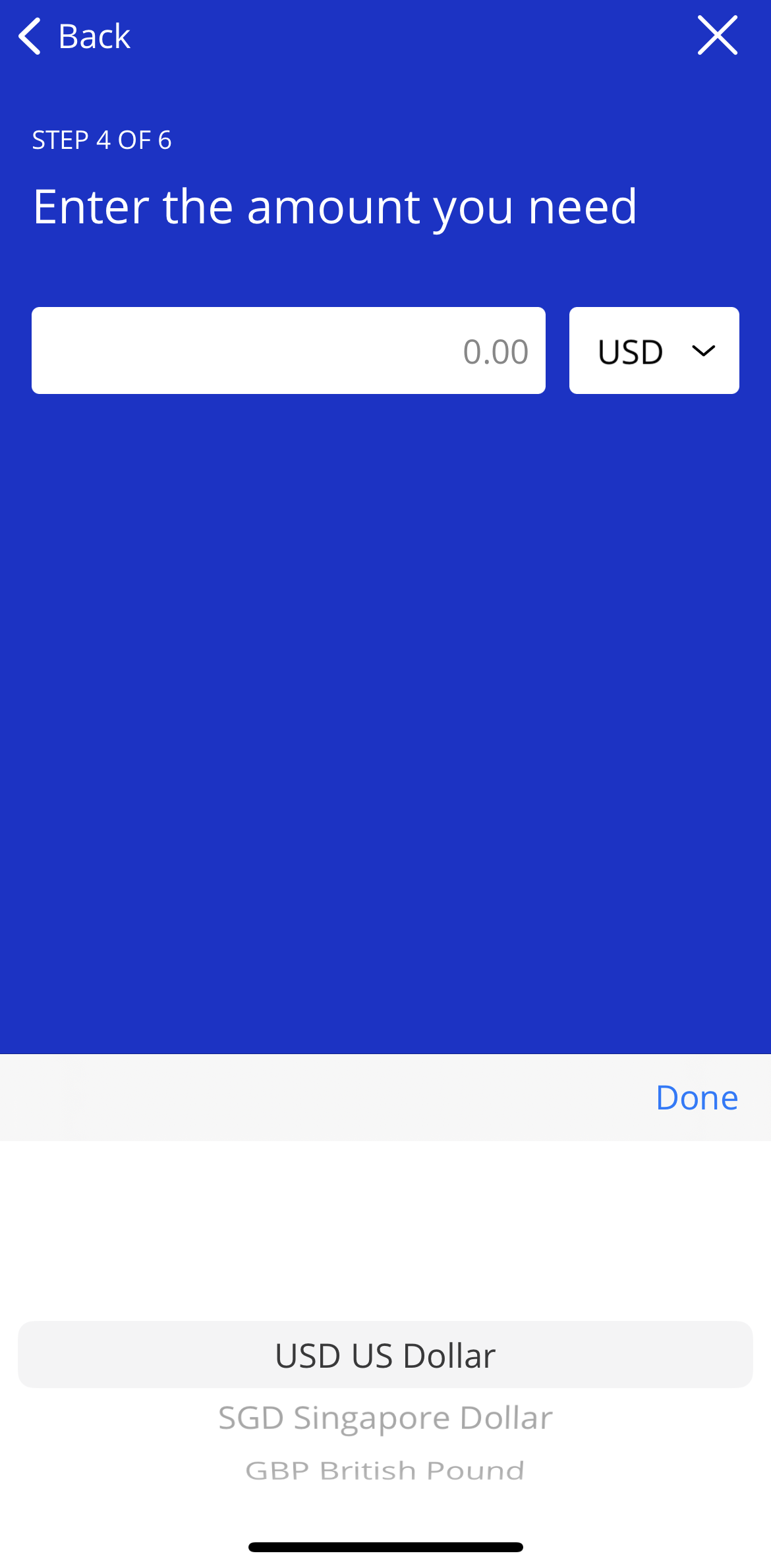
Enter the amount you need and select the currency.
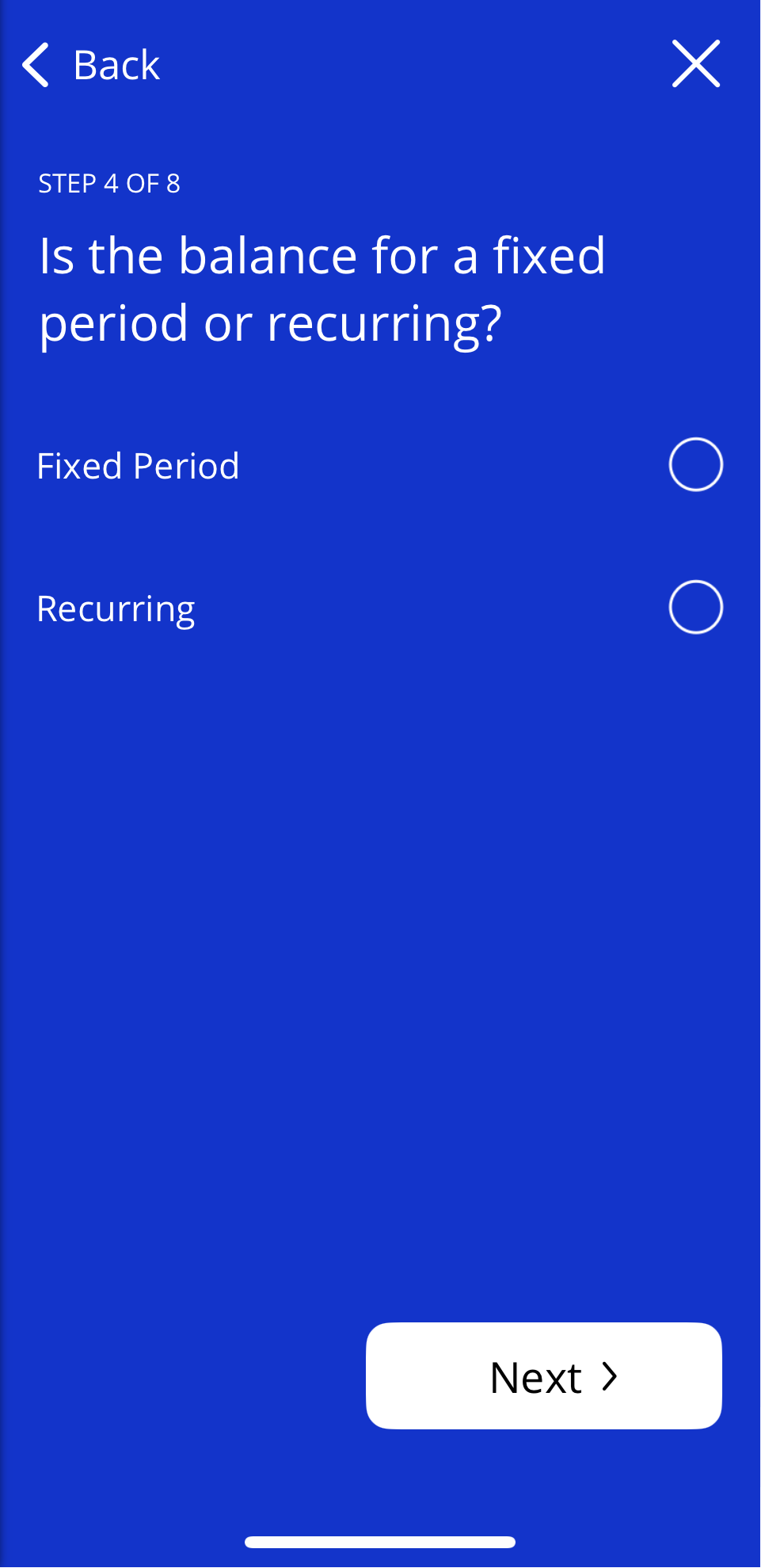
Select Fixed Period or Recurring balance and tap Next.
Depending on whether you have selected Fixed Period or Recurring Balance:
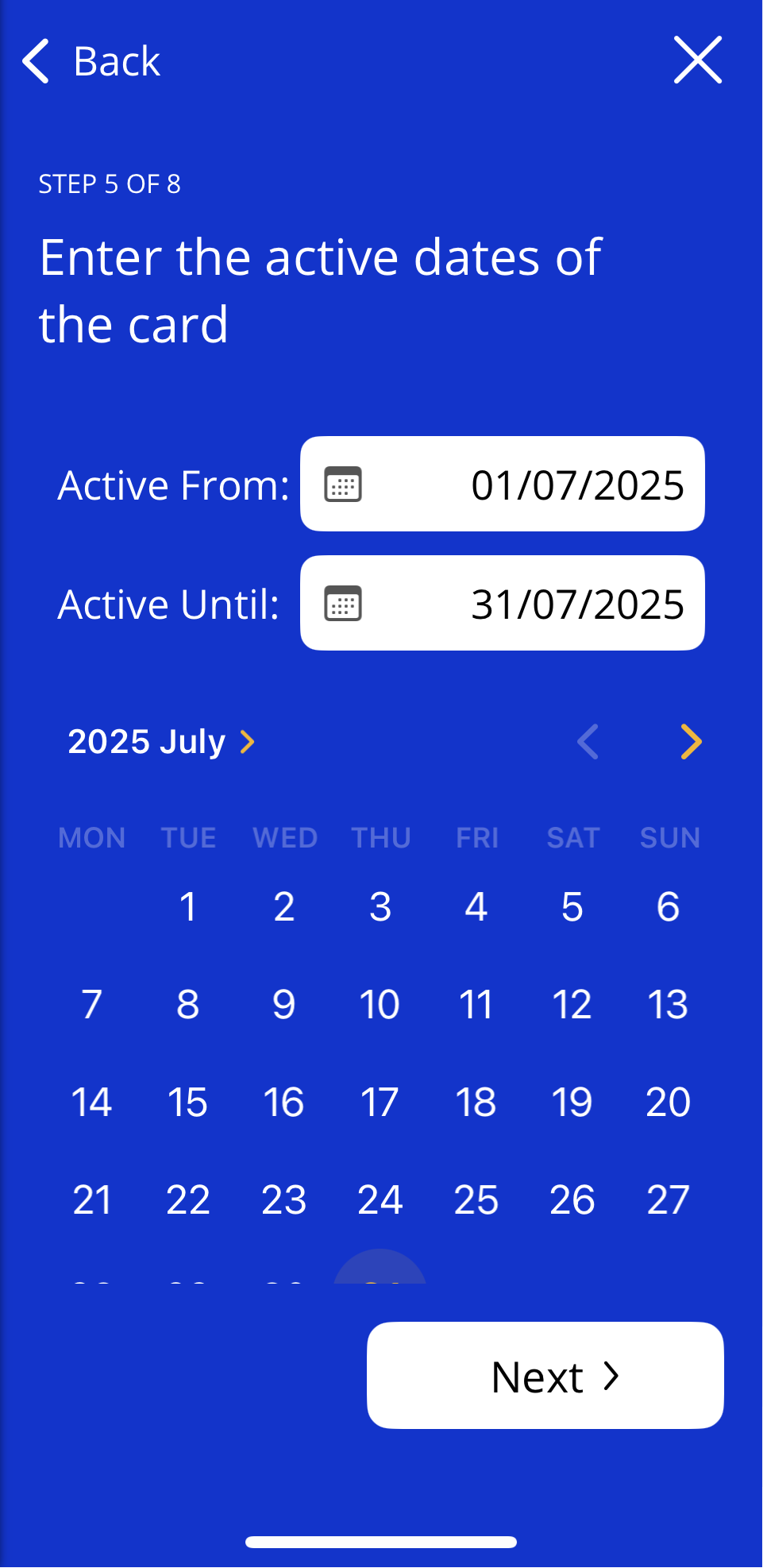
For a fixed period - enter the active dates of the card and tap Next.
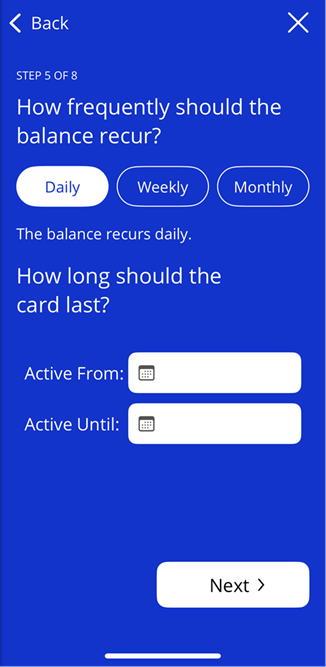
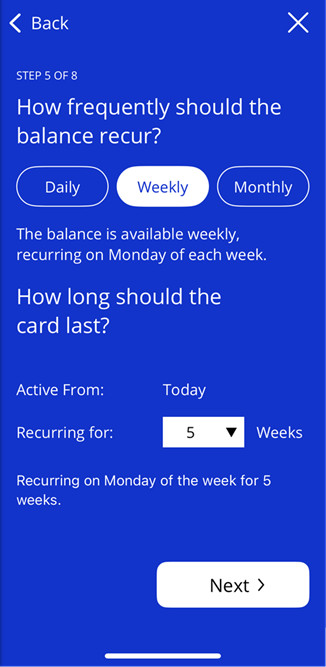
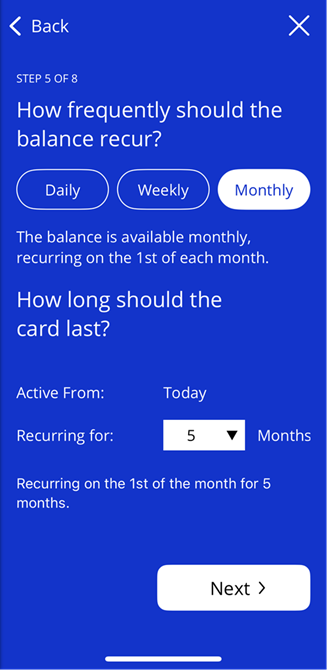
For a recurring balance - select the required option:
Daily and enter the active dates
Weekly and choose how many weeks the balance should recur for
Monthly and choose how many months the balance should recur for
Complete any applicable Custom Data Fields (this is configured per team in Mobile Control)
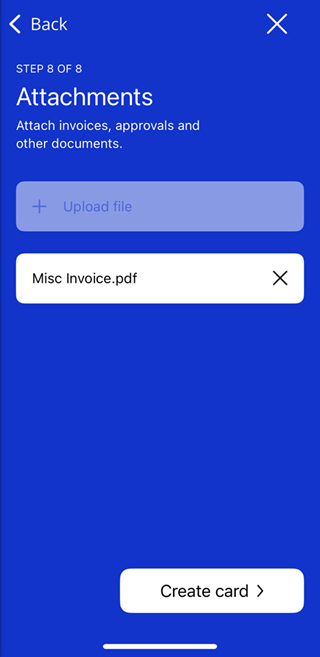
If required, select Upload file, choose where to upload your file from, add the file and tap Create card. Otherwise tap Skip.
If you have created a contactless card, you will be prompted to add your new card to your device's digital wallet.
Restriction: Budget Reached
If Block deployments when budget is hit is toggled on in Visa Commercial Pay Control, users will be prevented from creating cards under the following two circumstances:
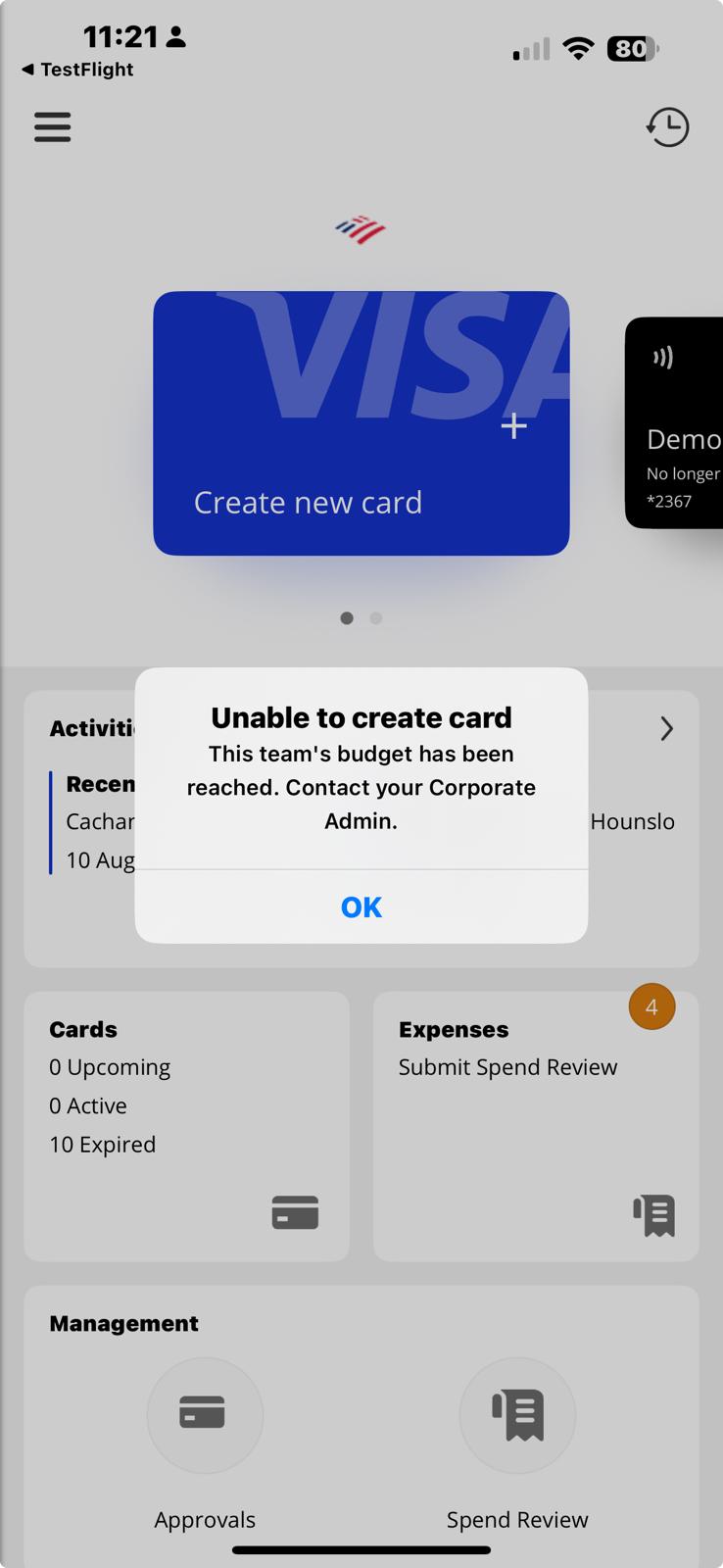
If the user is linked to only one team and the team budget has been reached, they will be prevented from continuing after tapping Create new card.
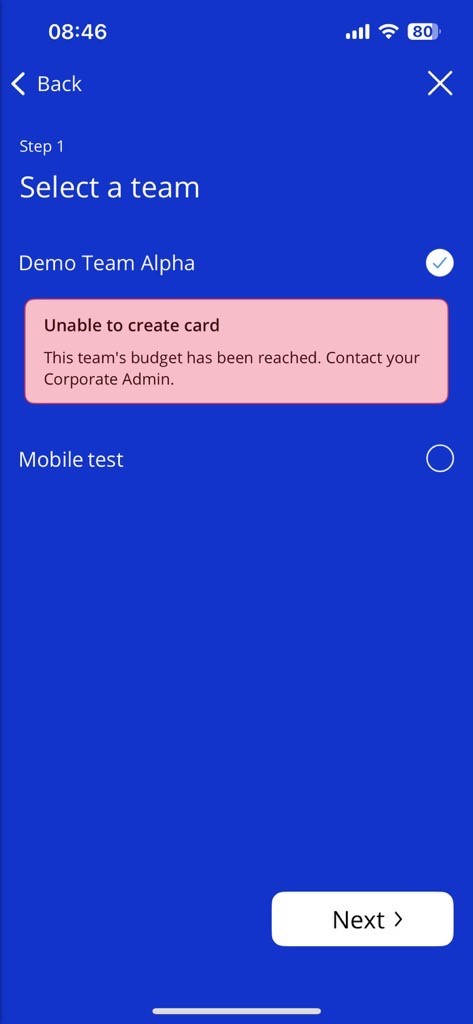
If the user is linked to multiple teams, they will be prevented from continuing if a team has been selected where the team budget has been reached.
Note
The team will be restricted from creating cards until one of the following criteria is met:
The current budget ends and a new budget begins.
The Corporate Administrator increases the budget amount in Visa Commercial Pay Control.
Restrict Currency List
Currencies are configured in Visa Commercial Pay Online per Card Pool, this means a team will be shown a list of currencies to select from based on which currencies are configured against the Card Pool that is linked to their team. For example, if a Card Pool is configured to only show GBP, USD and SGD, then this is what an app user will see when creating a card.
If no currencies are set, a full list of all currencies will be shown.
 |