Configuring Team Card Services Settings
You can enable card types, and configure the settings from the Team page. These settings will then apply to all cards created for that Team.
 |
For eCommerce cards:
 |
Toggle Enabled on to allow Online Only cards to be created for that Team.
Toggle Receipt Image Reminder on to send notifications requesting receipts when transactions are received.
Toggle Enable Recurring Budget Cards to allow cards with a recurring budget.
For Digital Wallet cards:
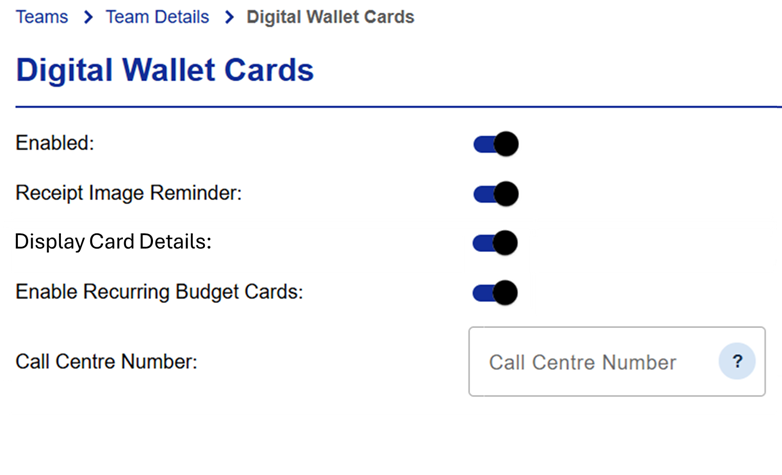 |
Toggle Enabled on to allow Digital Wallet cards to be created for that Team.
Toggle Receipt Image Reminder on to send notifications requesting receipts when transactions are received.
Toggle Display Card Details on to allow the full card number to be displayed in the Digital Wallet, toggle off to restrict visibility to the last four numbers of the card. This option is enabled at the request of the card issuer and will not be visible to all users.
If you are a Visa Commercial Pay Corporate Administrator contact the Visa Commercial Pay support team to enable this feature.
Toggle Enable Recurring Budget Cards to allow cards with a recurring budget.
Set the Call center Number by typing the telephone number into the field, this will be displayed as a contact number if the user needs to be verified outside the usual process when provisioning a card in the digital wallet.