Approvers
Teams Members can be linked to approval bands that will only allow them to create cards within a specified monetary threshold. Card requests that exceed this threshold will be sent to the relevant approver. Approval bands are configured in Visa Commercial Pay Control.
Approvers can be Team Admins, Team Members, or users that are not associated with any team.
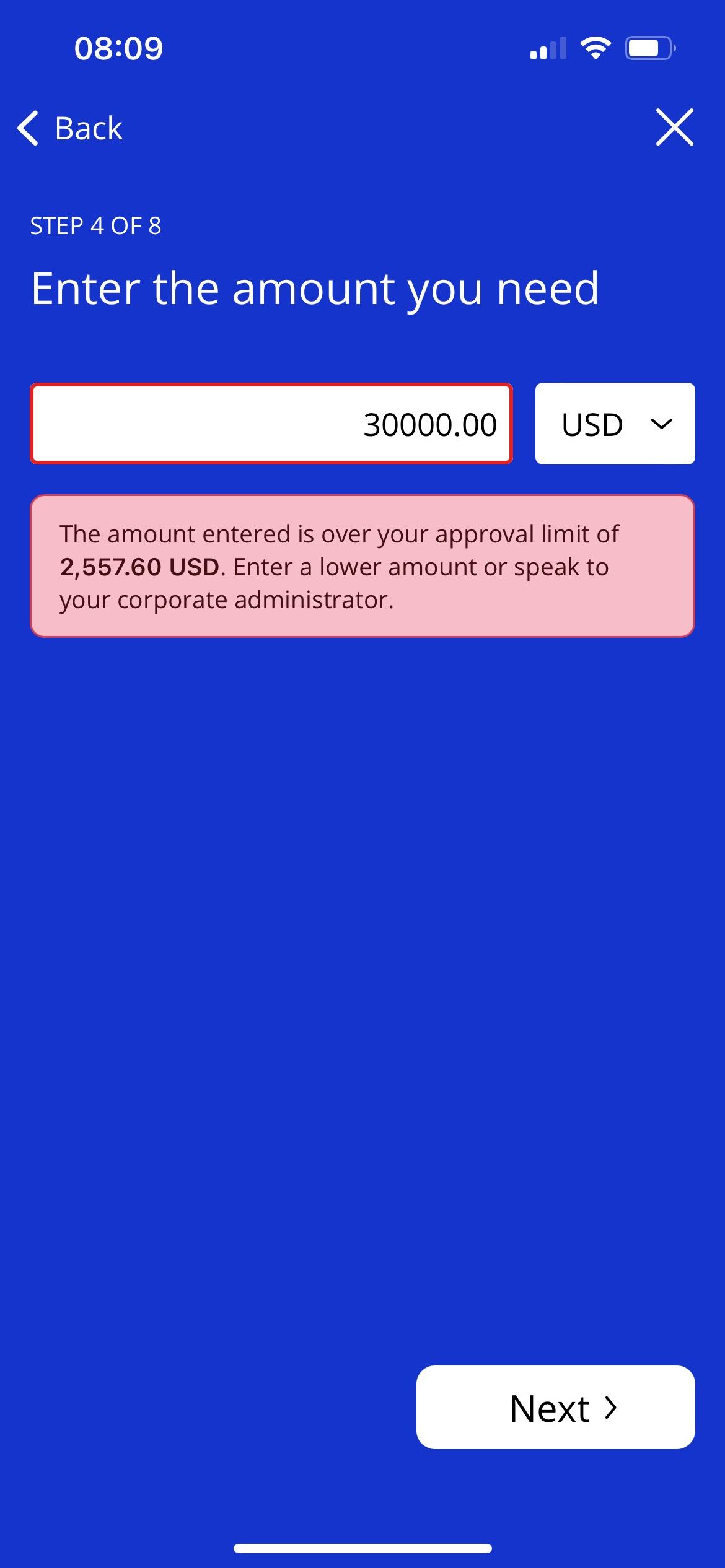
User's will not be able to submit a request for a card higher than the approval limit. If a user attempts to create a card that is over the approval limit, they will be shown a message advising them to contact their corporate administrator.
 |
Approve or Reject Card Requests
Approvers will have an additional option in the management section of the home screen labeled Approvals.
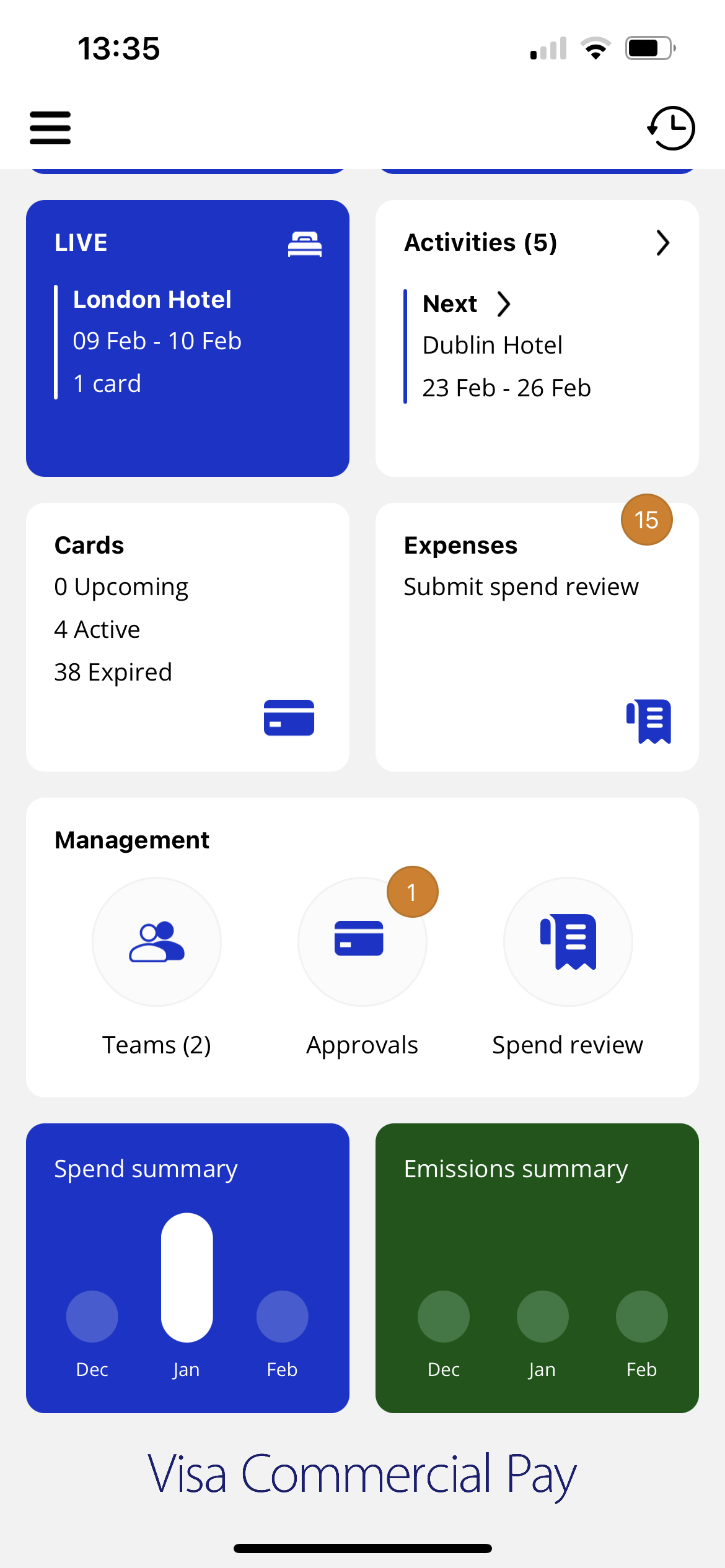 |
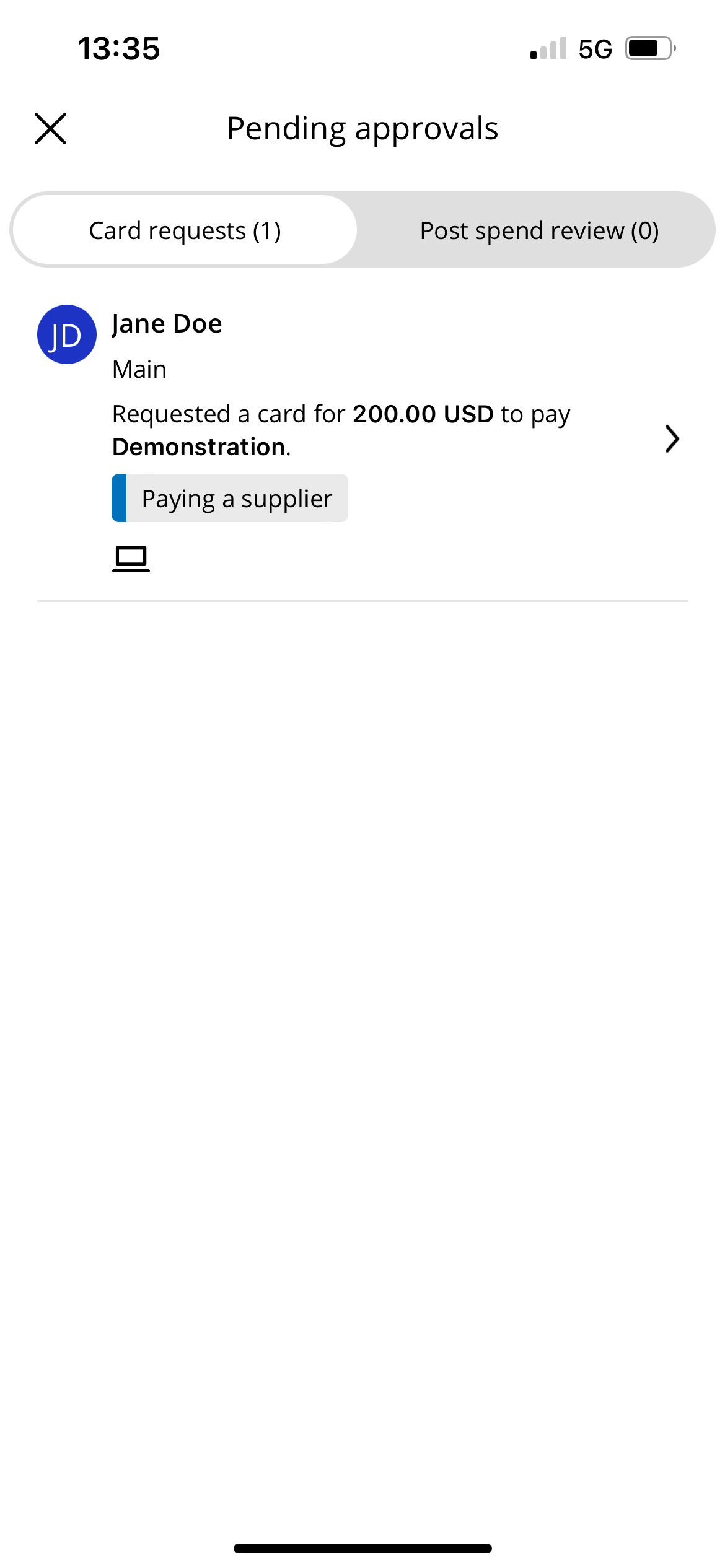
Tap Approvals to view all pending approvals.
 |
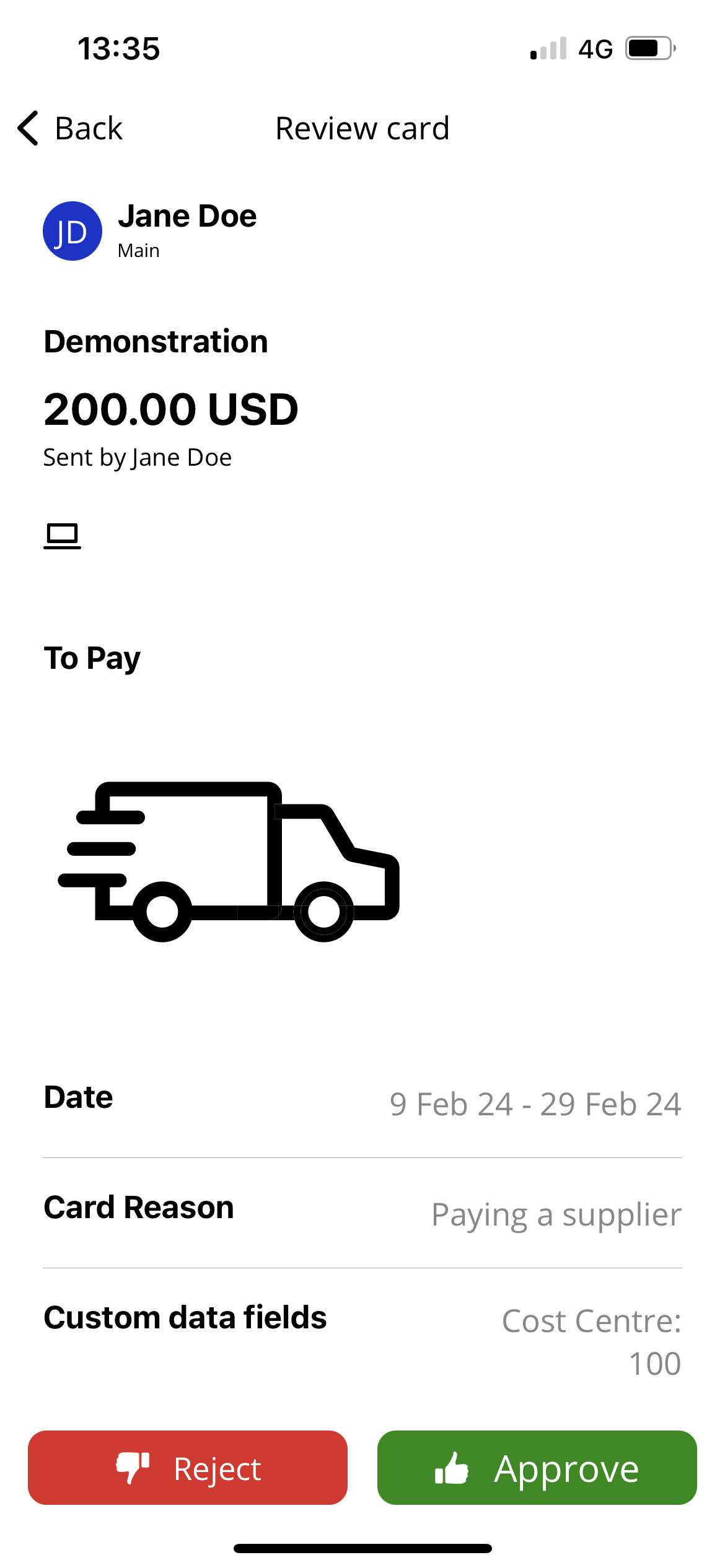 |
In support of quick reject and approval, the following details are displayed to help the Approver make an informed decision:
Requestor—the Team Member name and email that has requested the card
Team name—the team the request relates to (an end user could be a Team Admin of more than one team)
Requested amount—the monetary amount requested
Supplier—who the end user would like to pay
Request reason—the request reason provided by the end user to add greater context
Card and balance type—recurring balance cards are clearly marked with a
 and a card type indicator shows if a card is online only
  or contactless
Note
Approvers cannot see the card number or CVV number.