Amend or Cancel a Card in Online
After a card has been created, you can make amendments or cancel anytime before the card expires.
Amending a Deployment
Cards can be amended up until the charge end date. Although the actual charge date may allow a longer period for the card to be charged, it does not allow a longer period for the card to be amended with the issuer.
You can amend the following elements of a deployment:
Charge amount
Customer ID
Customer name
End date
Deployment name
Supplier reference
Supplier details
Custom data fields
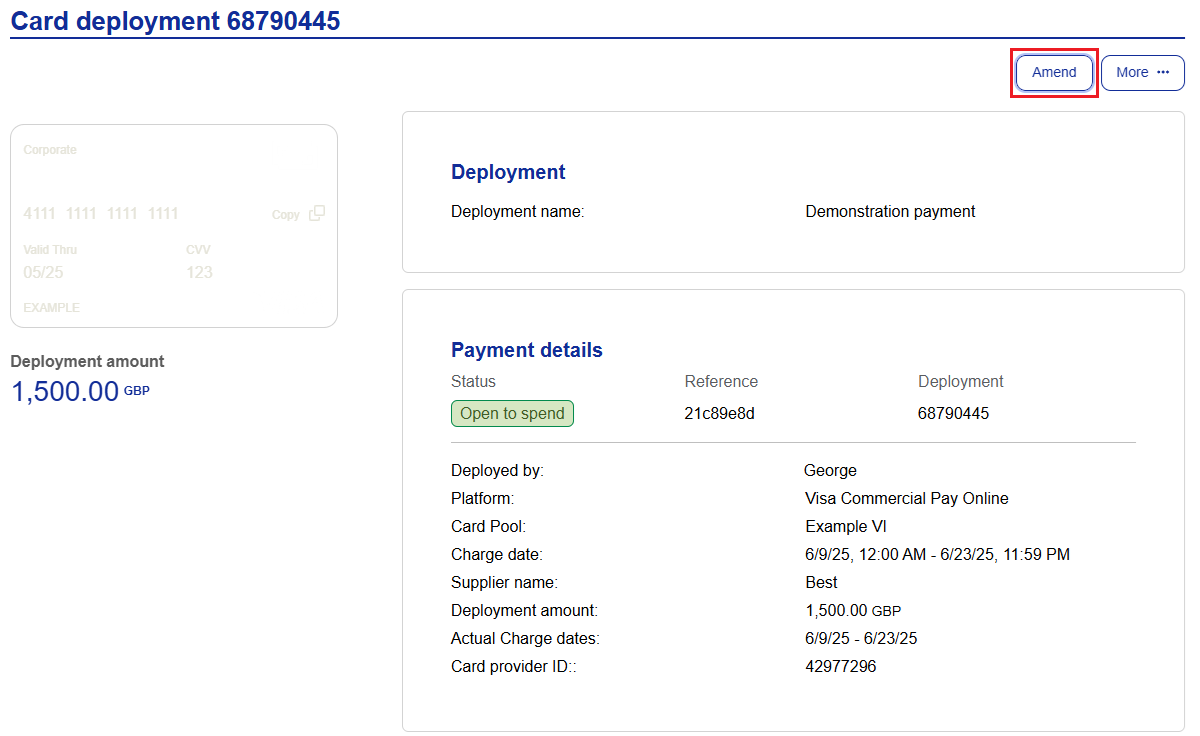
Open the deployment that you want to amend.
Click Amend to make any required changes.
Click Commit amendment.
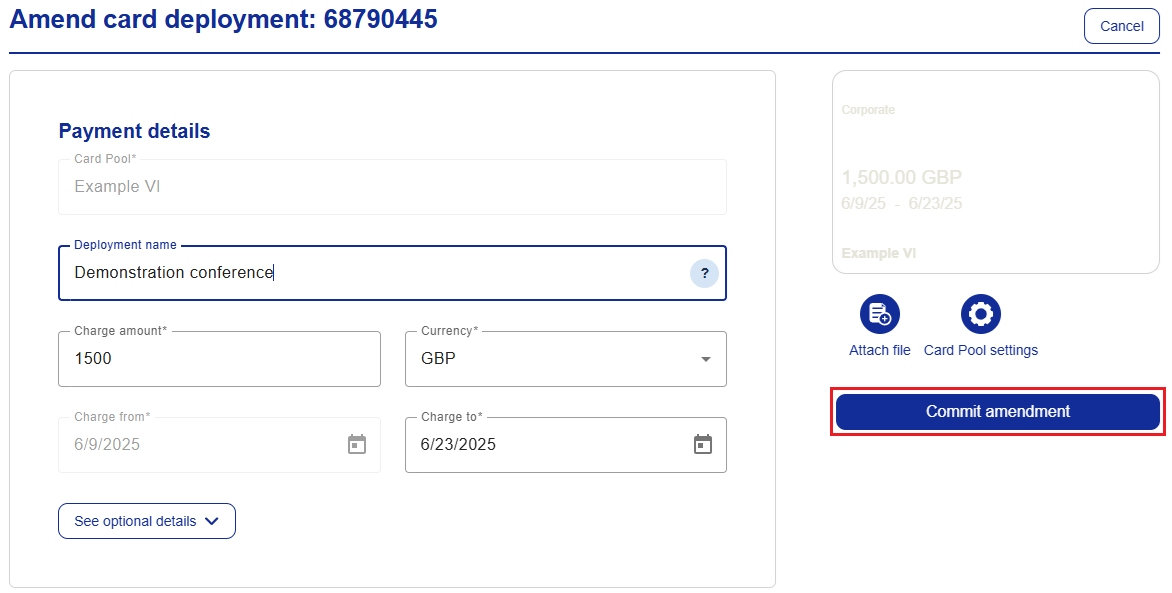
Once the amendment is complete, the Card deployment page will display the updated details.
Cancelling a Deployment
Cancelled deployments are deactivated immediately and the card can no longer be used or modified. The cancelation of the card is reflected in both the action history and deployment history.
Open the deployment that you want to cancel.
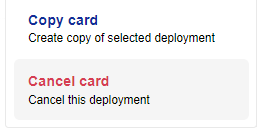
Click More and then click Cancel card.
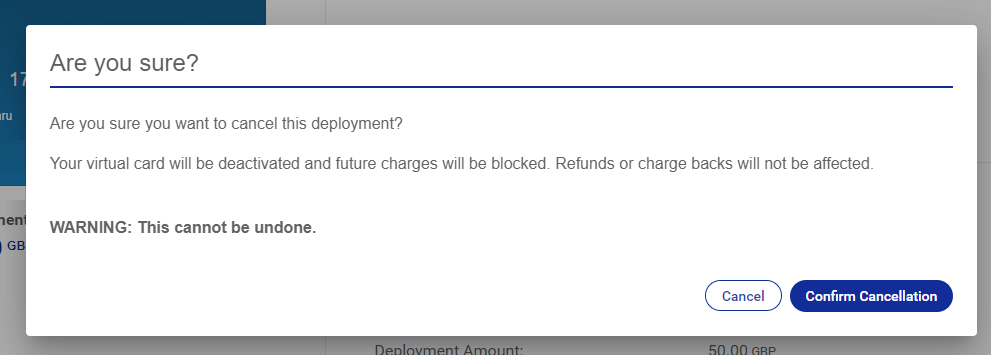
A warning prompt will appear to prevent accidental cancelations.
Click Confirm cancellation.