Visa Commercial Pay Online v3.29.1 Release Notes
Visa Commercial Pay Online v3.29.1 introduces a security enhancement which will mask all card details, updates to translation packs, the ability for admins to bulk download documents, and bug fixes.
Security Enhancement: Card Details Masking
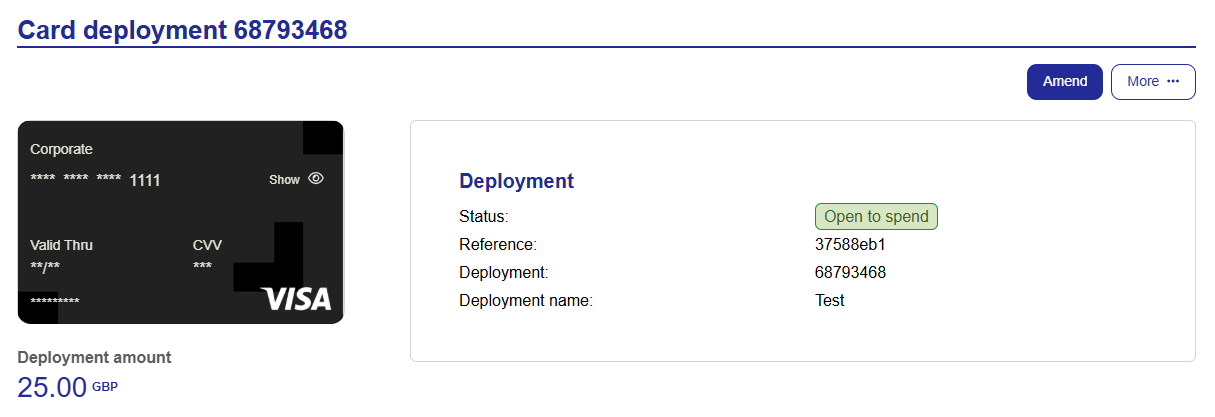
Depending on your card issuer and deployment method, all card details will be masked by default and only the last four digits will be shown.
Users will be able to unmask the card details when viewing their own deployments in Visa Commercial Pay Online.
Customer Admins can enable VCN Read Access from Administration within Visa Commercial Pay Online to allow Deployers to unmask card details when viewing other Deployers cards.
The following details will be masked:
Cardholder name
VCN
Expiry date
CVV
To unmask card details:
When viewing a deployment, click Show on the virtual card.
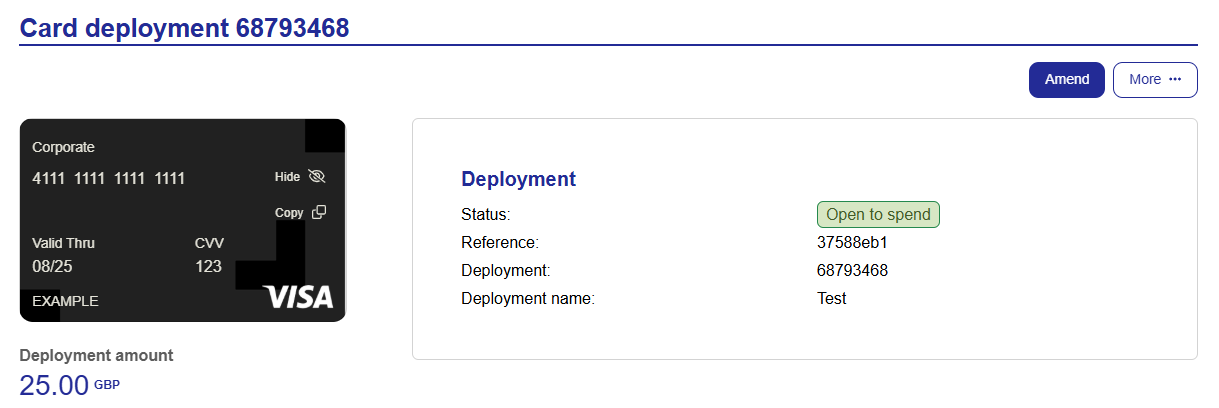
The full card details will be revealed.
To hide the card details again, click Hide on the virtual card.
The card details will be hidden.
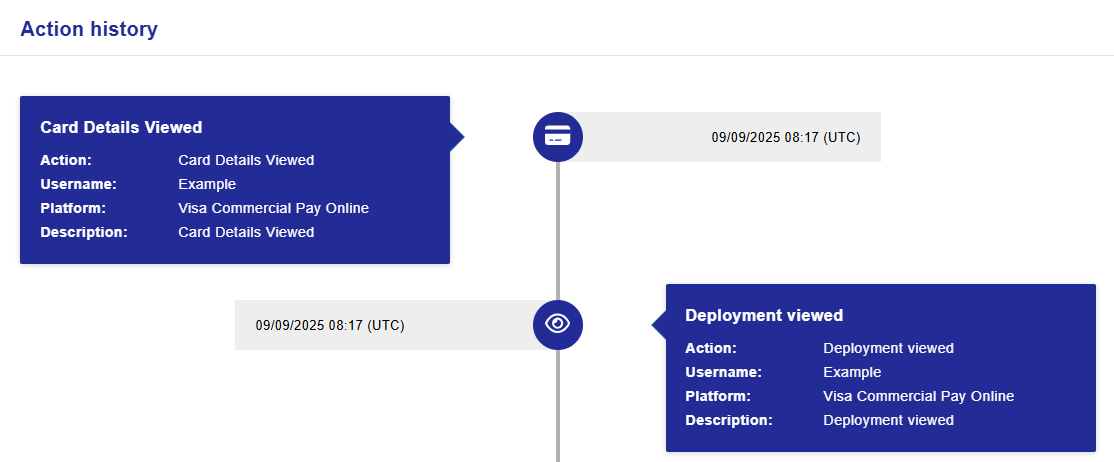
An audit log including the name of the user and the time that the action was completed will be viewable from the action history of the deployment.
The following actions will be recorded:
Unmasking of card details
Copying of card details
To view the card masking audit log:
When viewing a deployment, click More and then click Action history.
The audit log will show all actions recorded against the deployment.
Note
Card details being viewed will be tracked in the audit log regardless of your issuer and deployment method.
Translation Improvements
We are updating language packs for Visa Commercial Pay Online, including UI text and notifications.
Admin Ability to Bulk Download Documents
We have given users the ability to bulk download documents via the Documents section within Visa Commercial Pay Online.
To bulk download documents:
Click Documents from the navigation bar, enter your search parameters, and click Search.
If more than one document is returned, click Select multiple.
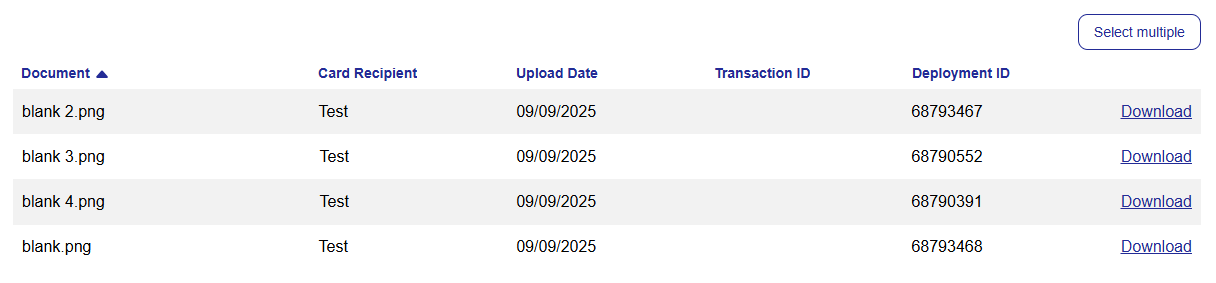
Tick the box next to each document you want to download, or click Select all.
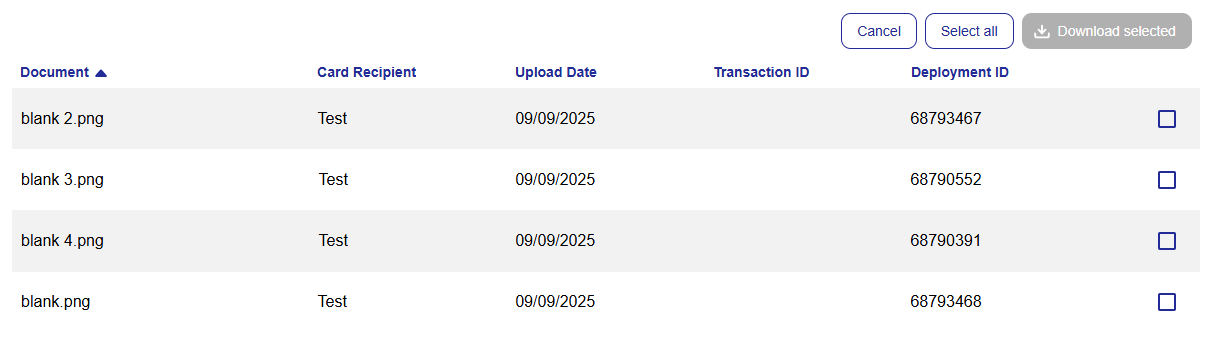
Click Download selected.
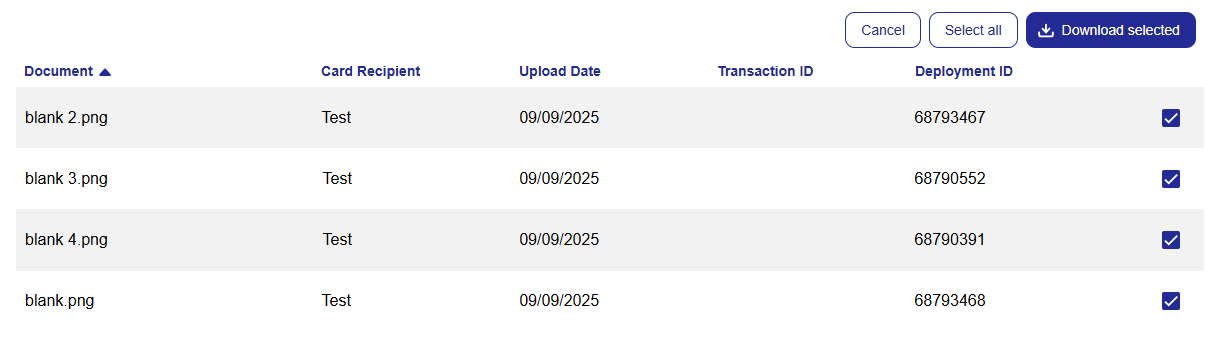
The following user roles can bulk download documents:
Customer Admin
Customer Super Admin
Card Issuer Admin
Note
This functionality is only available if your issuer uses the Visa card scheme.
Notable Bug Fixes
We have fixed an issue where when a card was pending approval, the request start date was incorrectly displayed as one day prior to the charge from date.
We have fixed an issue where when editing a card and changing the deployment currency, the currency reverts to the default Card Pool currency once the change is committed.
We have fixed an issue affecting US customers, where when a deployment was amended the charge date was moved forward by one day.
We have fixing an issue where tool tips in the Advanced Card Controls section were inaccessible when user's had a smaller screen size.
We have fixed an issue where when amending an Accommodation card and toggling Advanced purchase on, the charge dates did not change.
We have fixed an accessibility issue that prevented users from using the navigation bar correctly when using keyboard presses only.
We have improved site navigation by adding unique page titles.
We have fixed an issue where error messages were not appearing for failed inputs in Advanced Card Control templates.
We have fixed an accessibility issue where the Remove button in the Custom Data Fields section of the card creation flow was inaccessible by keyboard presses.
We have reformatted the tables shown in the Payment Requests section to improve keyboard-only navigation.