Visa Commercial Pay Reporting v6.10.1 Release Notes
Visa Commercial Pay Reporting v6.10.1 delivers essential bug fixes and improvements to existing functionality.
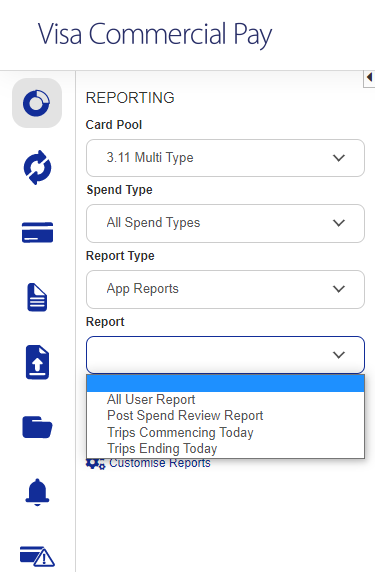
App Reports
The following reports are now available in Visa Commercial Pay Reporting:
All User Report
Post Spend Review Report
Trips Commencing Today
Trips Ending Today
 |
Improvements to Invoice Reminders
Invoice Reminders use the Supplier name instead of Deployment name.
Secure emails are included in the Communication field as well as masked emails and faxes.
Searching without entering any criteria or entering invalid criteria returns an error message.
VAT Rate Parameter
We have changed the default VAT rate parameter to a decimal so that it does not round up to whole numbers when saving an Invoice Category.
Invoice Check-in Dates
We have implemented a check for deployment use type to ensure that invoice creation includes check-in dates for Hotel Type deployments originating from Multi Type Card Pools.
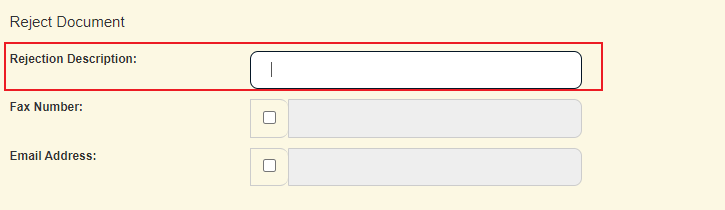
Document Rejection Fields
We have renamed the Rejection Reason field to Rejection Description to make it clear that the free text entered modifies the description, and not the rejection reason.
 |
Notable Bug Fixes
We have resolved an issue where CSV output adds 12:00:00 time stamp to Hotel Transactions. Date/time rows that have a time stamp of midnight now have the time stamp removed from the report.
We have resolved an issue where data from Custom Data Fields didn't appear when a column name had a trailing space.
We have resolved an issue where an error message was returned when adding an Invoice Line.
We have resolved an issue when running a report for all Card Pools with no statement reference returned an unknown error.
We have resolved an issue with Custom Reports not using custom delimiters on report download.
We have resolved an issue with Invoices where check-in/out dates could be added by users, but not by administrators.
We have resolved an issue with Invoice Search where the "Transaction Matched?" filter doesn't differentiate between the "No" and "Both" filter options.