Login v1.14 Release Notes
Login v1.14 contains changes to the login flow and bug fixes.
Removal of Security Question and Answer
To reduce friction on the login screen, we have removed the requirement for users to enter the answer to their security question when resetting their password.
The ability to set or reset a security question has been removed from the following platforms:
Visa Commercial Pay Online
Visa Commercial Pay Control
Visa Commercial Pay App
Visa Commercial Pay App Registration Site
New user 'Welcome' email registration link
Admin triggered 'Reset Password' email link
Users will no longer be required to set up a security question and answer when completing the registration process.
Users will not be required to answer their security question when completing the forgotten password process on any Visa Commercial Pay platform.
Users will no longer be able to configure their security question via the Profile section of Visa Commercial Pay Online.
Changes to Password Reset Screen
We have changed the password reset screen that users are redirected to after triggering the forgotten password process.
This screen now shows a clear list of password requirements when prompting the user to enter a new password.
|
|
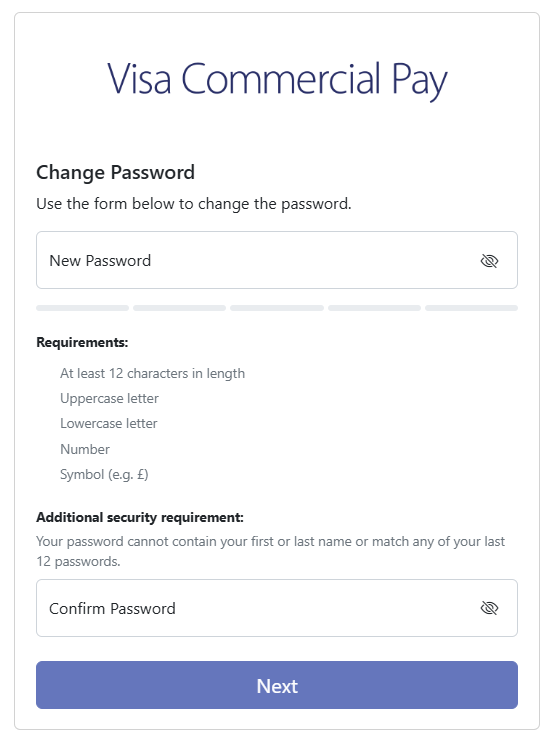
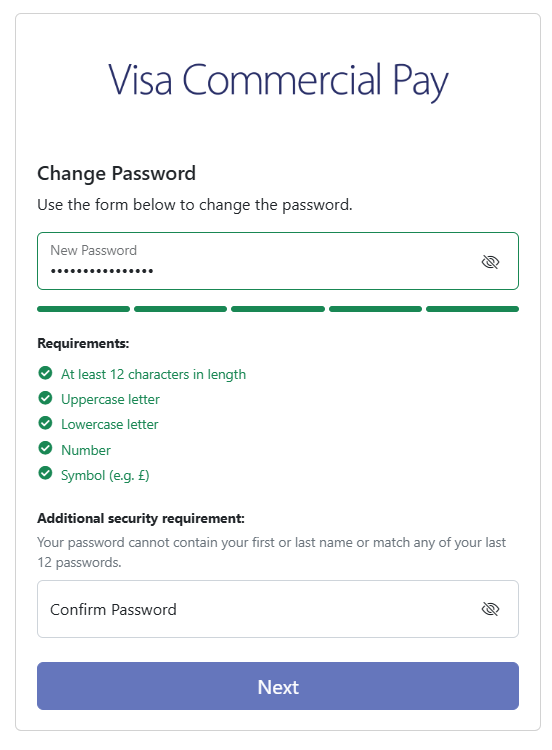
The password strength will also be shown, users are encouraged to choose a stronger password if the one entered isn't deemed strong enough.
 |
Once a new password has been entered, click Return to log in.
Additional Changes
We have moved password input to the first step, allowing users to type their username and password on the same page.
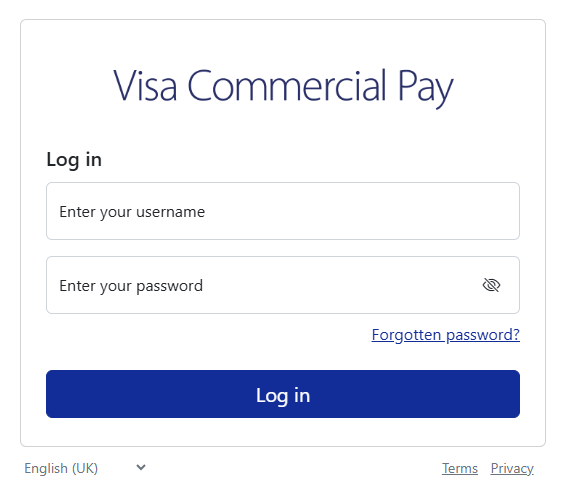
We have added a message that will be displayed on the login page to prevent errors. This message will appear if the user is idle for 15 minutes, containing a prompt to refresh the page.
Mobile App Registration Site (Web)
When registering for the app for the first time, you will no longer be required to set a security question. To register, you will only be required to enter:
|
|
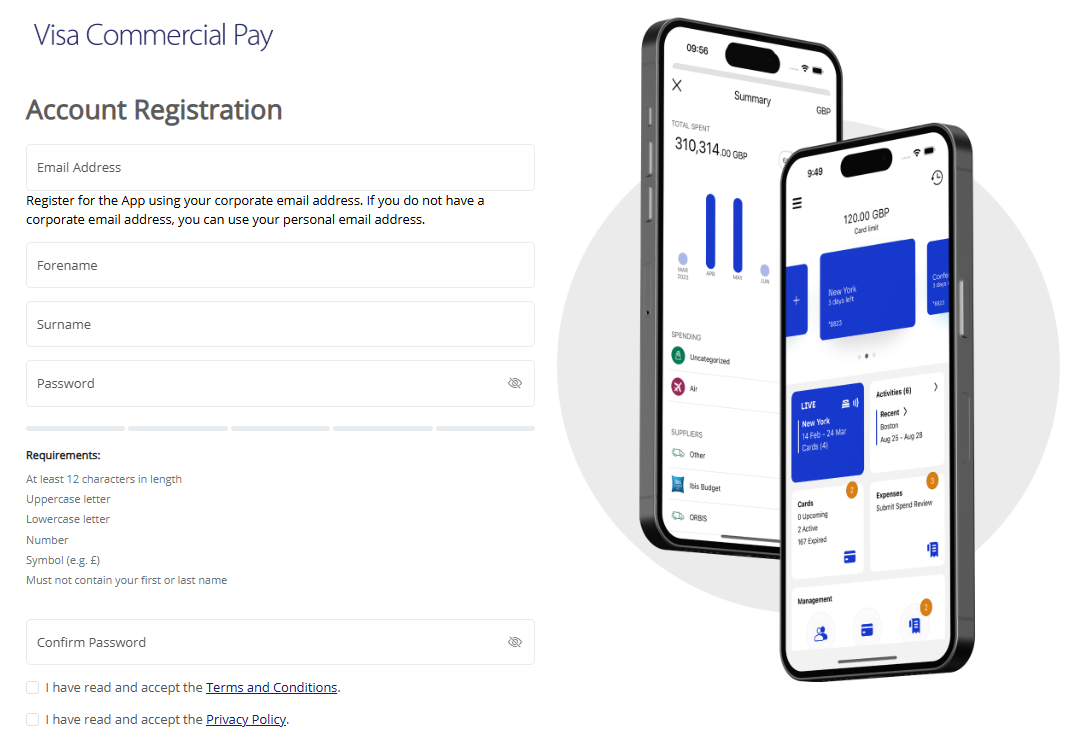
* When self-registering for the app, your email address will be your username.
Notable Bug Fixes
Fixed an issue where issuer users were logged out after switching to a different Card Pool group (Visa Commercial Pay Online).
Fixed an issue where Corporate Admin Approvers were able to make changes to fields that are read-only for this role (Visa Commercial Pay Control).
Fixed an issue where expired recurring budget cards became active after amendments had been made to the card (Visa Commercial Pay Control).
Fixed an issue where if a deployment was rejected in Mobile Control, the rejection reason was not shown (Visa Commercial Pay Control).
Fixed an issue in Mobile Control where when a team was copied, the eCommerce card option defaulted to not enabled (Visa Commercial Pay Control).
Added an error message when a user attempted to upload a file that was not a CSV file (Visa Commercial Pay Control).
Added an email to the flow when a user was locked out of the app after repeated failed log in attempts (Visa Commercial Pay App).