Service Desk v3.30.2 Release Notes
Service Desk v3.30.2 introduces Card Pool transaction history, and bug fixes.
Card Pool Transaction Summary
We have added a Card Pool Transaction History page to Service Desk, agents will be able to view transactions recorded against a Card Pool during any single-day period within the last 12-months. This will allow agents to investigate, identify, and troubleshoot transaction related issues.
Availability
Card Pool transaction history is available to all users with access to Service Desk.
Transaction Summary
The transaction summary displays a table of all days where at least one transaction was recorded against the selected Card Pool. Dates are shown for a single calendar month, the user can select from the current month up to 12-months in the past.
The following columns are shown:
Date (Single Day)
Transaction Import Count
Transaction Count (Grouped by Date)
Users can change the transaction summary data shown by selecting from the following 'date view' options:
Import Date (Default)
Transaction Date
Post Date
To access the Transaction Summary:
From Service Desk, click Card Pools and then click Find Card Pool.
Search for and select a Card Pool.
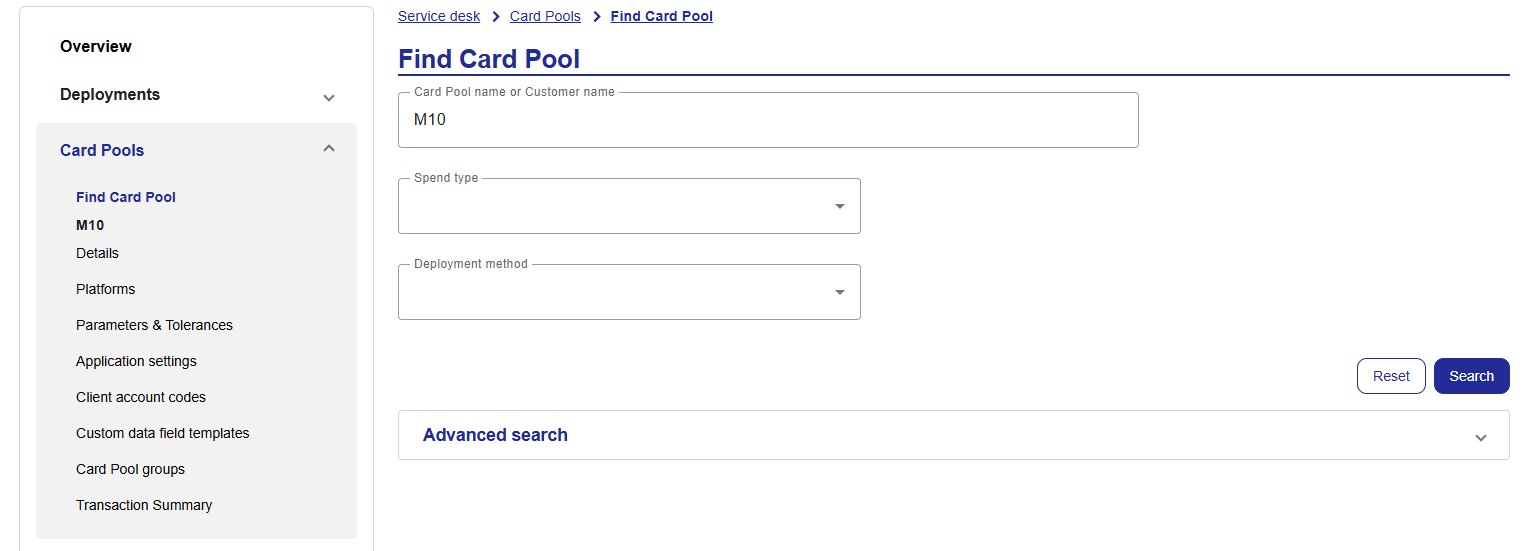
From the left-hand panel, click Transaction Summary.
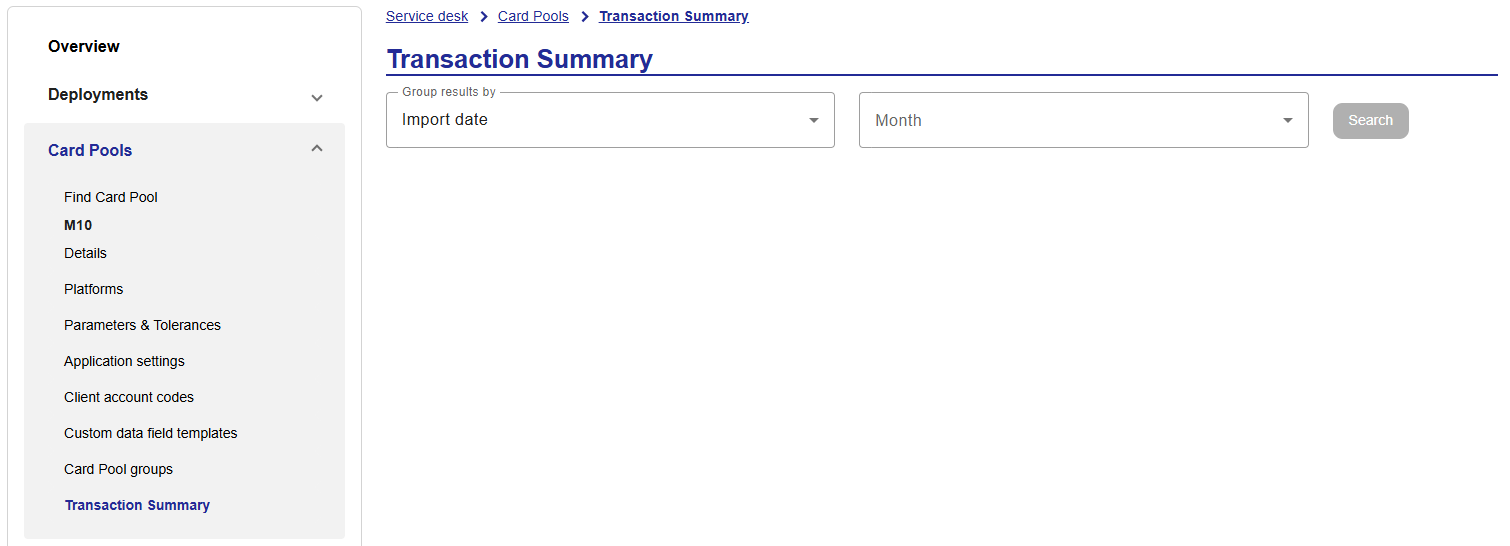
Select your search criteria and click Search.

The transaction count will be displayed. Click View to open the transaction view for the selected date.
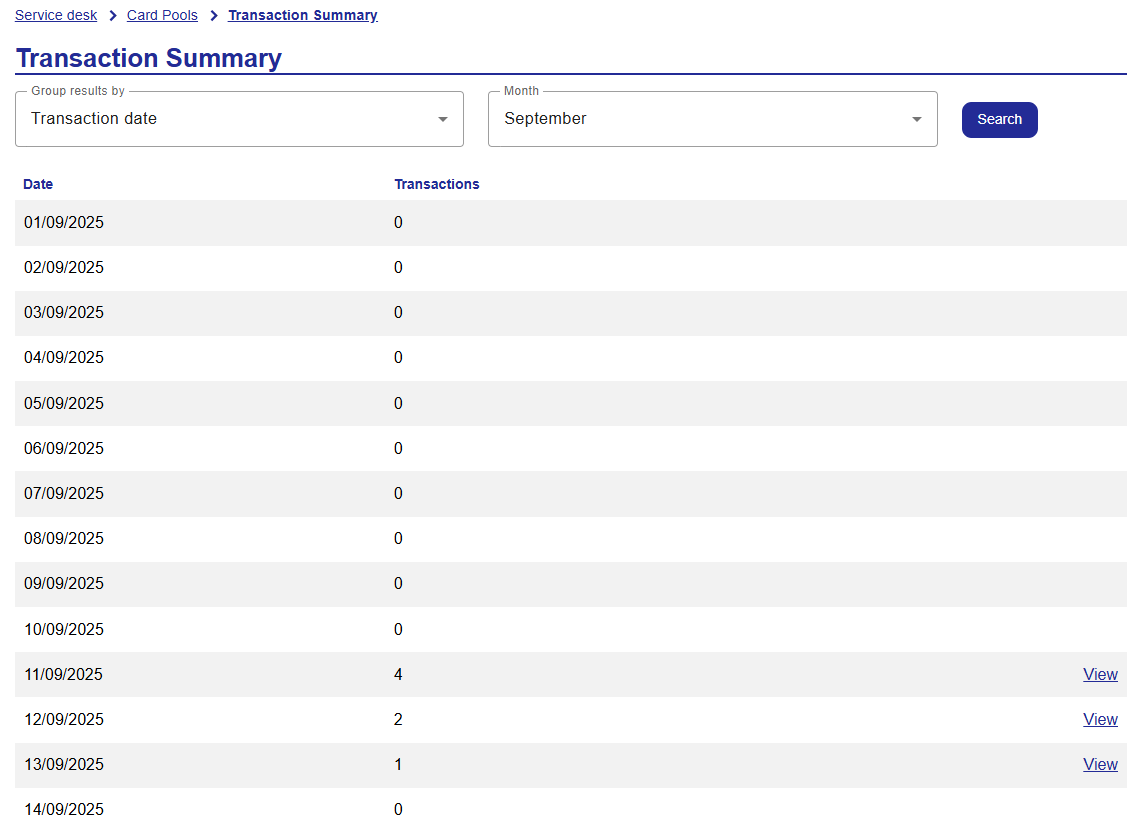
Transaction View
The transaction view shows transaction data for the selected date.
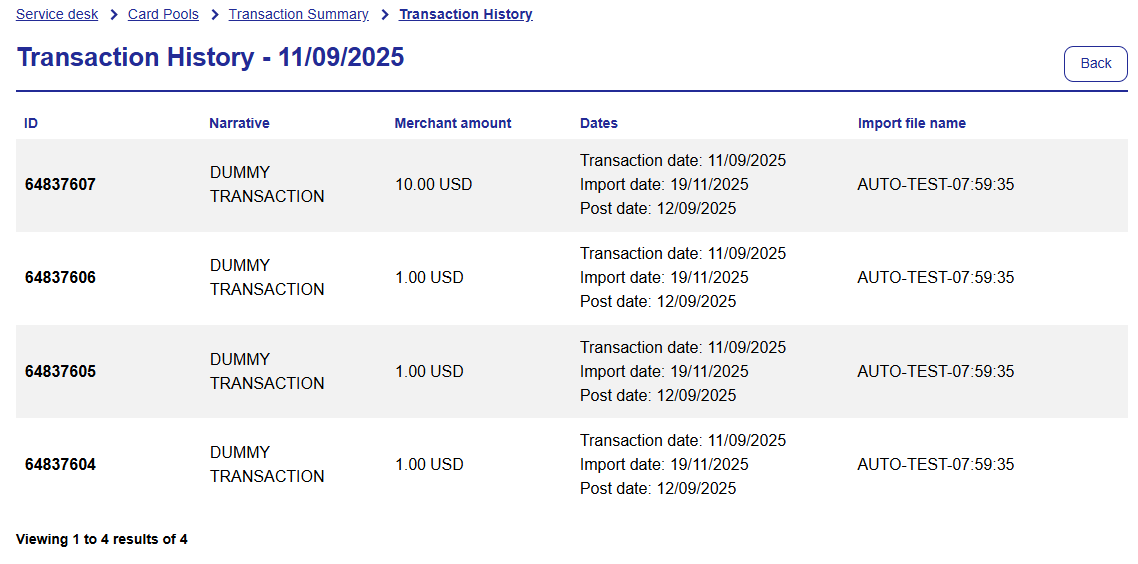 |
The following columns are shown on the transaction data:
Transaction ID
Transaction Narrative
Transaction Merchant Amount
Transaction Merchant Currency
Transaction Date
Post Date
Import Date
Import File Name
Note
A maximum of 15 transactions are displayed per page.
Bug Fixes
We have made accessibility improvements to screen reader usability on the navigation bar and tables.