Visa Commercial Pay Online v3.35 Release Notes
Visa Commercial Pay Online v3.35 introduces changes to Dual Control configuration, the addition of the Client ID to the Card Pool settings tab, and bug fixes.
Dual Control Configuration Setting
We have added the option for issuers to enable Dual Control (Maker/Checker) at an individual corporate level. If enabled, Customer Administrators in Visa Commercial Pay Online can see the Dual Control configuration setting via the Administration module. Dual Control and KYC (Know Your Customer) are compatible if both are enabled at the same time. Dual Control requires the creation of new users or any edits made to existing users to be approved by a second user.
If both Dual Control and KYC are enabled for a corporate account, Dual Control will take initial priority.
When a new user is created KYC will be triggered after they have been approved via Dual Control.
When a user is edited the changes must be approved via Dual Control and KYC will not be re-triggered.
Access
Required User Role: Customer Administrator
Availability: Issuers must raise a Service Desk ticket to request Dual Control to be enabled for each corporate.
Batch Deployments: Client ID
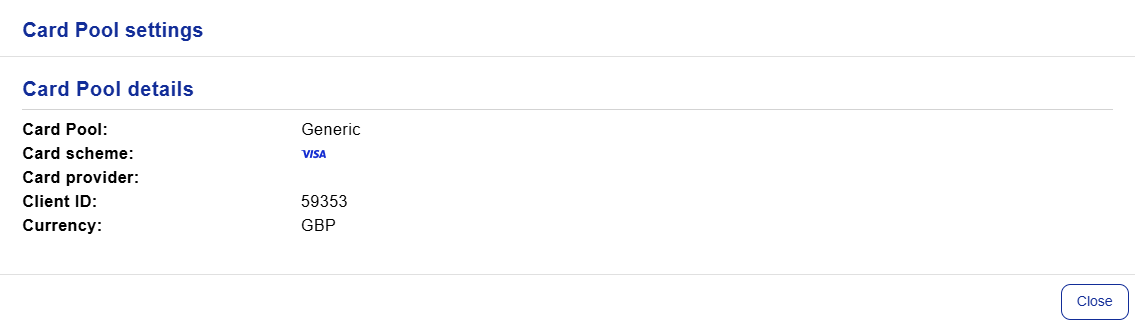
We have added the Client ID to Visa Commercial Pay Online under Card Pool settings. This allows users who deploy cards via the Batch Deployments API to easily view the Card Pool Client ID without needing to log into Visa Commercial Pay Setup Portal.
This change reduces unnecessary friction for users that create batch deployments in Visa Commercial Pay Online directly or via the API by providing a simple option to view the Client ID associated with each Card Pool under their account.
What is the 'Client ID'?
The Client ID is a system generated identifier of a Card Pool, used only when creating batch deployments. Excluding the Client ID from a batch deployment file/request will prevent the Card Pool from being found which will cause the associated deployment to fail.
Creating cards in Visa Commercial Pay Online does not require manual input of the Client ID.
Access
Required User Role: Customer Administrator, Deployer
Availability: Default functionality.
Viewing the Client ID
The Client ID can be found in various places within Visa Commercial Pay Online.
From the dashboard, click Review all under 'Available Card Pools'.
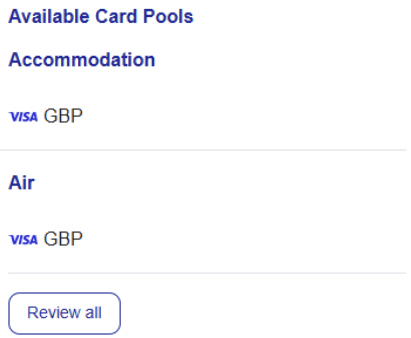
Select a Card Pool.

The Client ID will be shown.
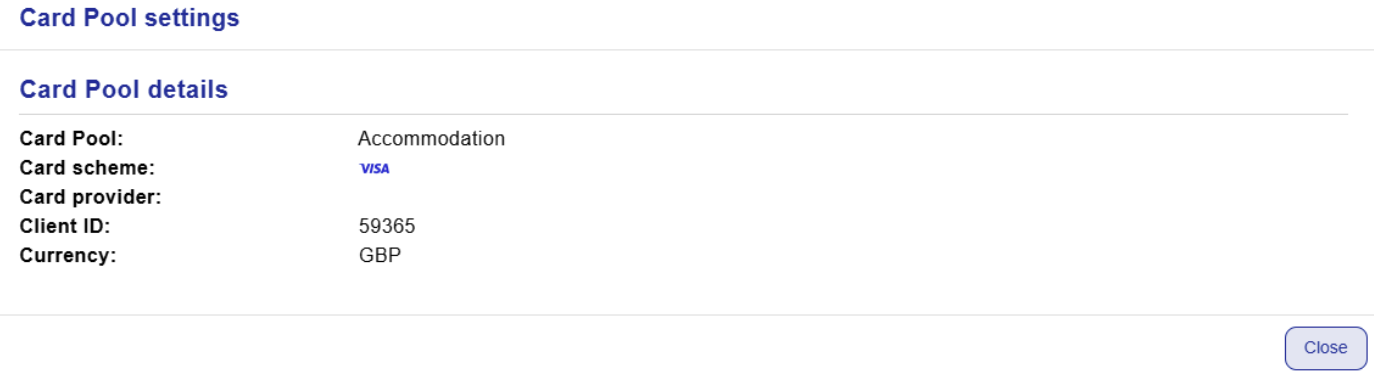
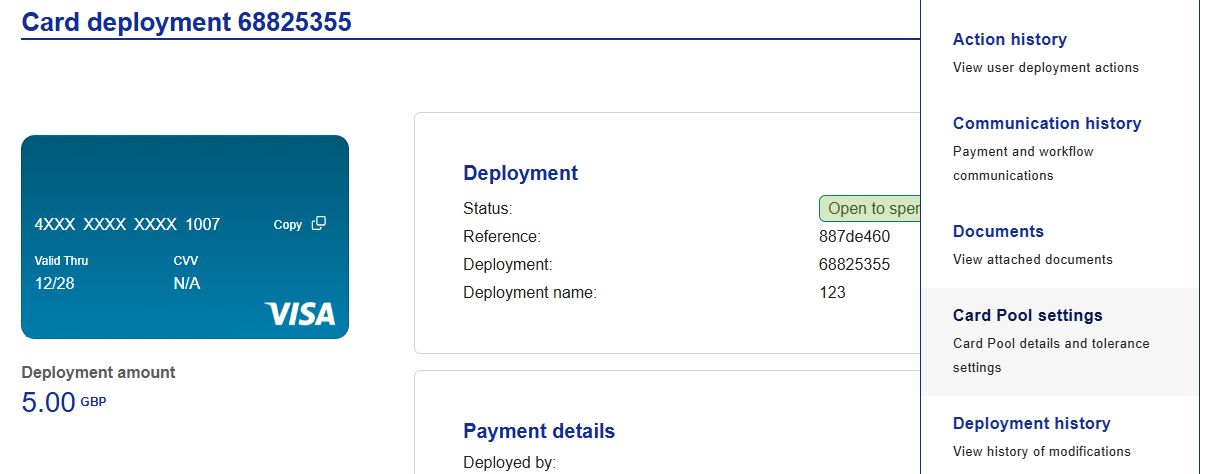
Alternatively, the Client ID can be viewed directly from a deployment;
select a deployment, click More and then click Card Pool settings.
OR
click New card, select a spend type, and then click Card Pool settings.
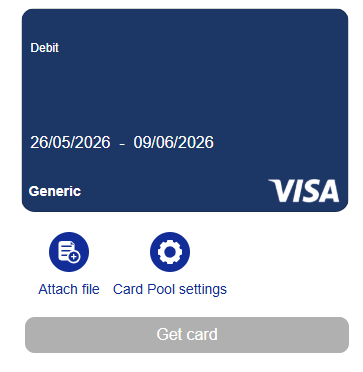
The Client ID will be shown.
 |