'Deployment Name' Field
The 'Deployment Name' field allows users to enter a different data value to that entered in the 'Supplier Name' field to prevent unclear deployment labelling. This field is not available when creating batch deployments.
Note
The Deployment Name field is disabled by default.
The deployment name will be displayed in the following areas:
Editable under 'Supplier Information' when creating or editing a new card in Visa Commercial Pay Online
Editable under 'Supplier Reference' when completing a new supplier payment in Visa Commercial Pay Online
Displayed within the deployment details in Visa Commercial Pay Online
Displayed alongside the supplier reference in all transaction based reports in Visa Commercial Pay Reporting
Displayed alongside the supplier reference in all deployment based reports in Visa Commercial Pay Reporting
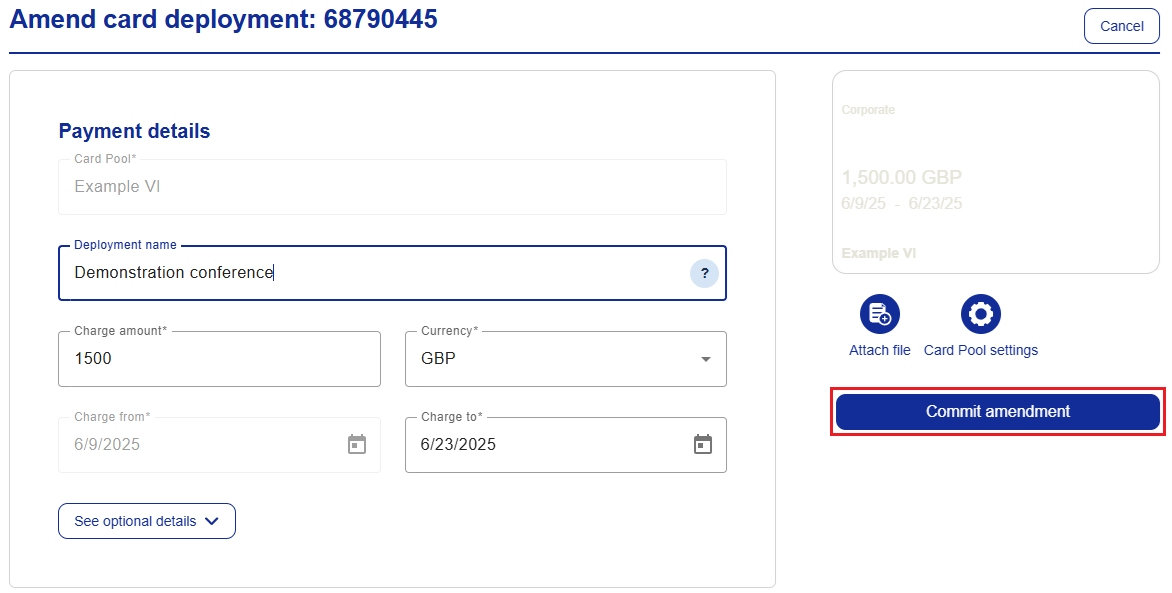
The 'Deployment Name' field can be amended when editing an active card, any changes will be captured in the audit log. If the field has been edited, previous transactions linked to the deployment will not be affected.
To enable the deployment name field:
From the navigation bar, click Administration.
Click Card Pool search, or select Card Pools from the options on the left and click Card Pool search.
Search for the card pool you want to enable the deployment name field on, either by name or spend type and click Search.
Select the card and tick the box next to Enable deployment name field, click Save and confirm your choice.
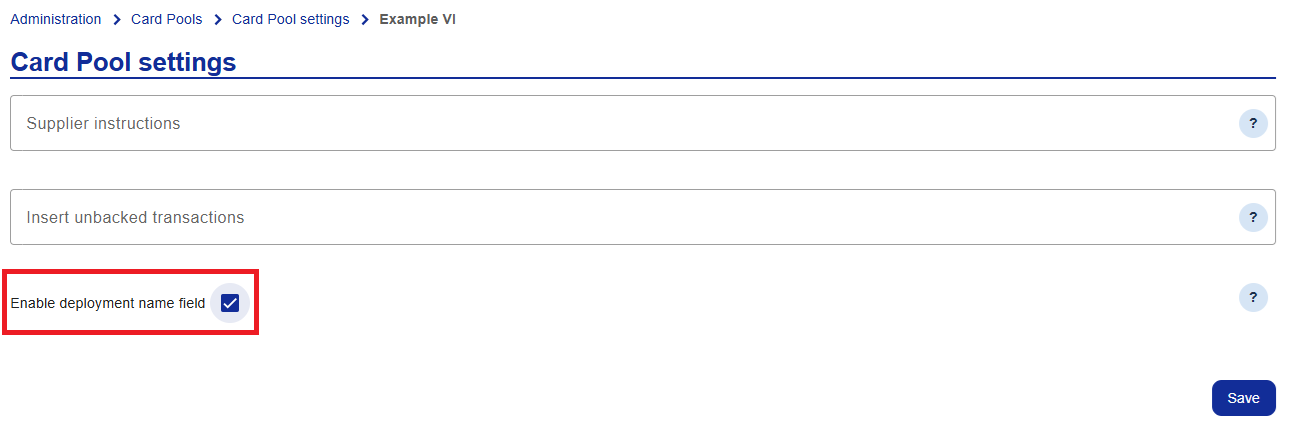
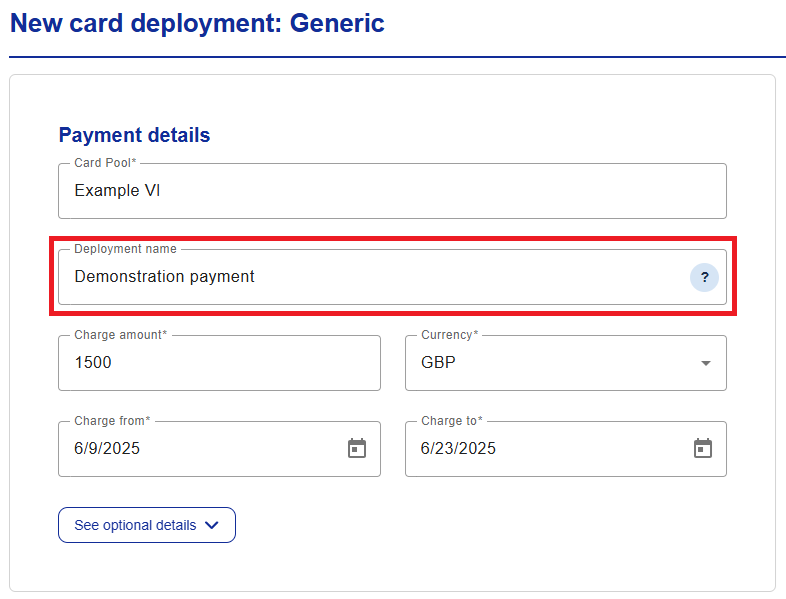
The Deployment name field will be visible when you create a card.
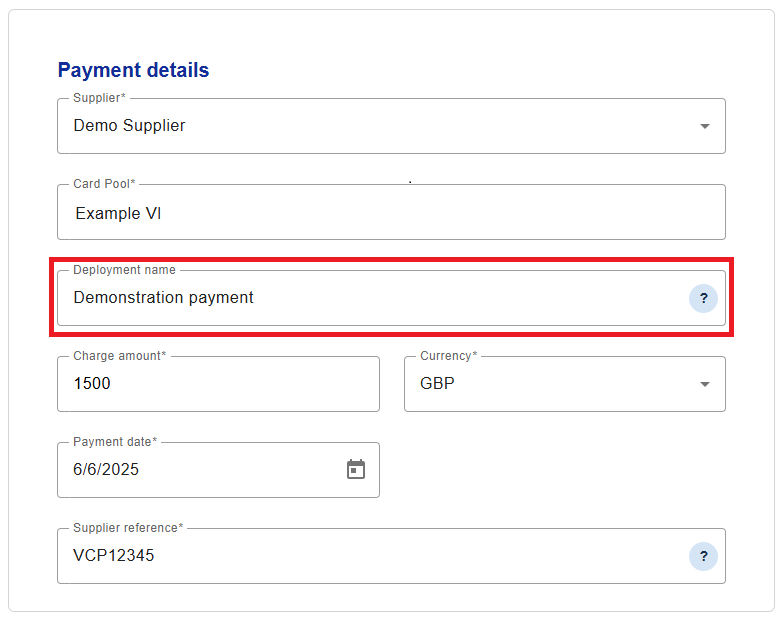
The Deployment name field will also be visible when you complete a new supplier payment.
The deployment name can be edited up until the charge end date:
Open the deployment that you want to amend.
Click Amend to make any required changes.
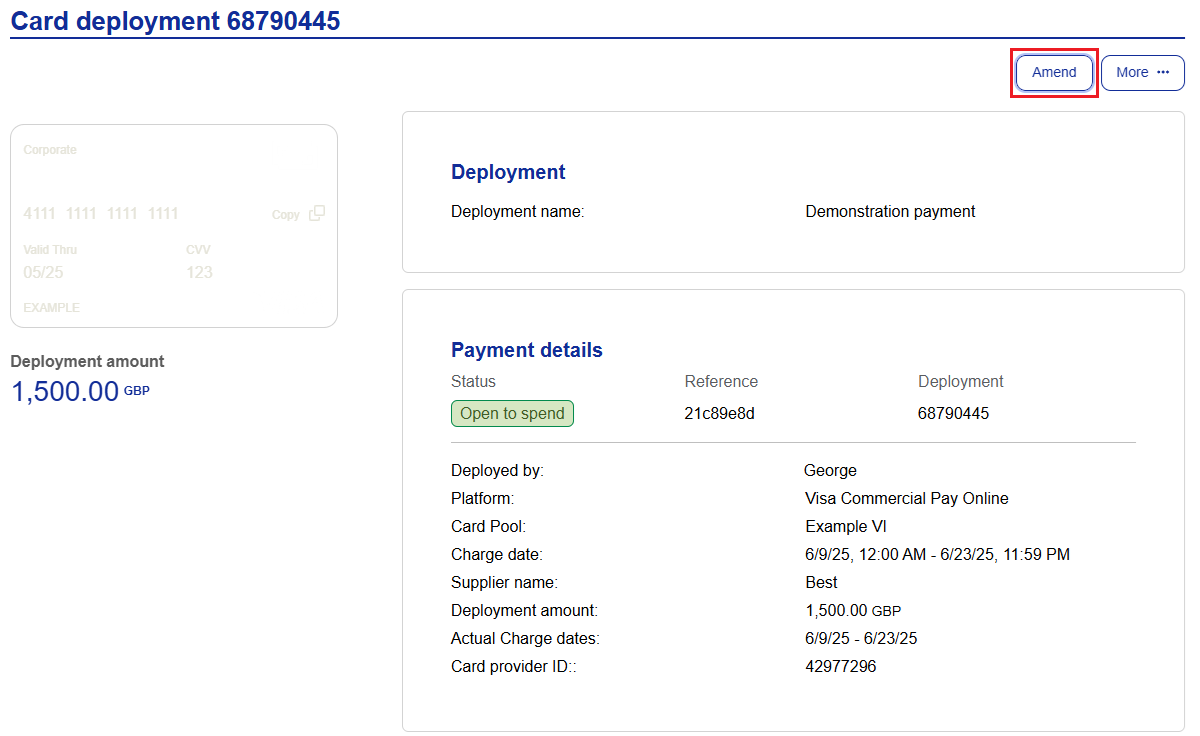
Click Commit amendment.
Note
User Roles Affected: All Visa Commercial Pay Online users able to deploy cards.
Availability: Configured per Card Pool.