Mobile Control v1.5 Release Notes
Mobile Control v1.5 extends post spend review (PSR) functionality from the Visa Commercial Pay App to Visa Commercial Pay Control.
Post Spend Review
We are providing Corporate Admin users with a greater level of control over the information that is displayed to Visa Commercial Pay App users by adding the option for Control admins to choose which PSR fields will be shown in the Visa Commercial Pay App.
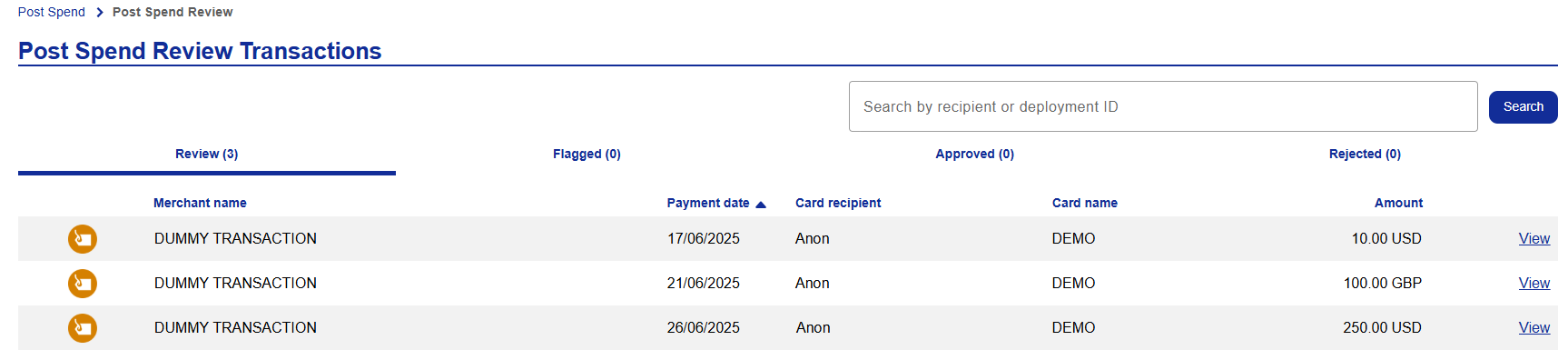
We have given Corporate Admins the ability to carry out post spend reviews from the Visa Commercial Pay Control module of Visa Commercial Pay Online; reviewer users will have the option to approve or flag a transaction in the same way they would in the Visa Commercial Pay App.
Corporate Admin users with existing post spend review access within the Visa Commercial Pay Control module of Visa Commercial Pay Online will have access to the new features on release.
Post Spend Review Fields
Reviewer users and admins will be able to choose which of the following fields will be visible in the Visa Commercial Pay App:
Add receipt
Add Sales Tax
Add Notes
To add post spend review fields:
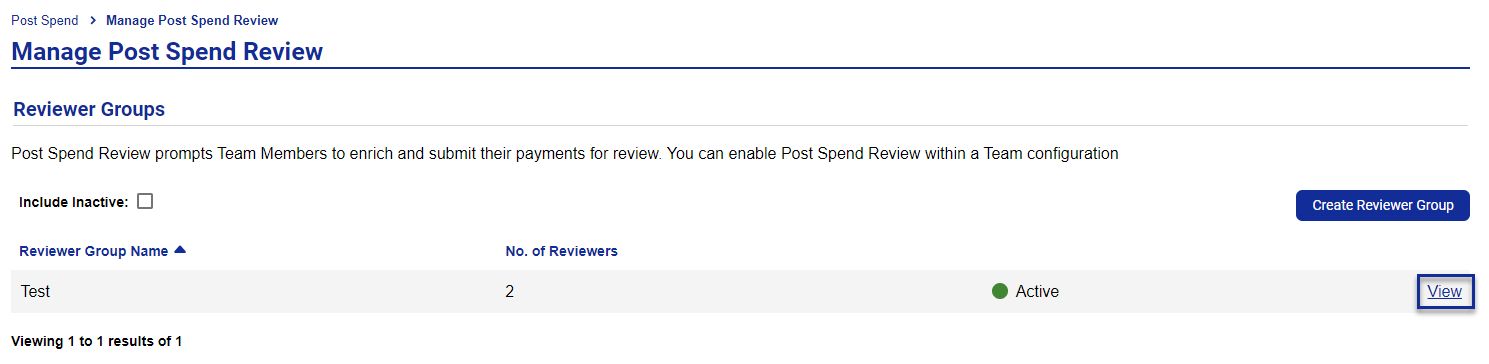
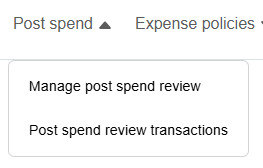
From the navigation bar click Post spend review.
Select Manage post spend review.
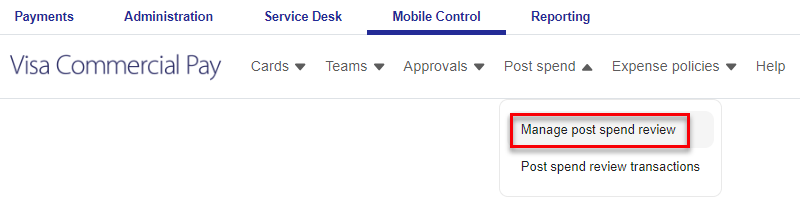
Select a Reviewer Group.
From the Display fields, toggle the options on or off as required.

Click Save.
Post Spend Review in Visa Commercial Pay Control
Reviewers will receive a daily email notifying them of the number of transactions that are pending review.
To review a transaction:
Log in to Visa Commercial Pay Control.
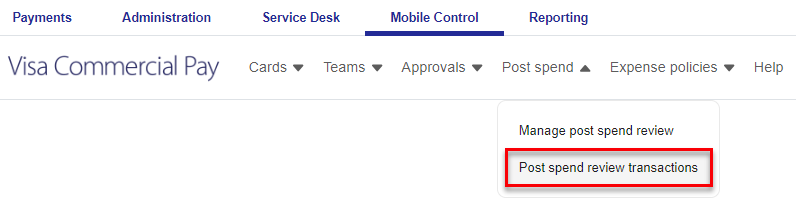
From the navigation bar click Post spend review.
Select Post spend review transactions.
Select a transaction to review the details.
Click the Approve button to approve the transaction.
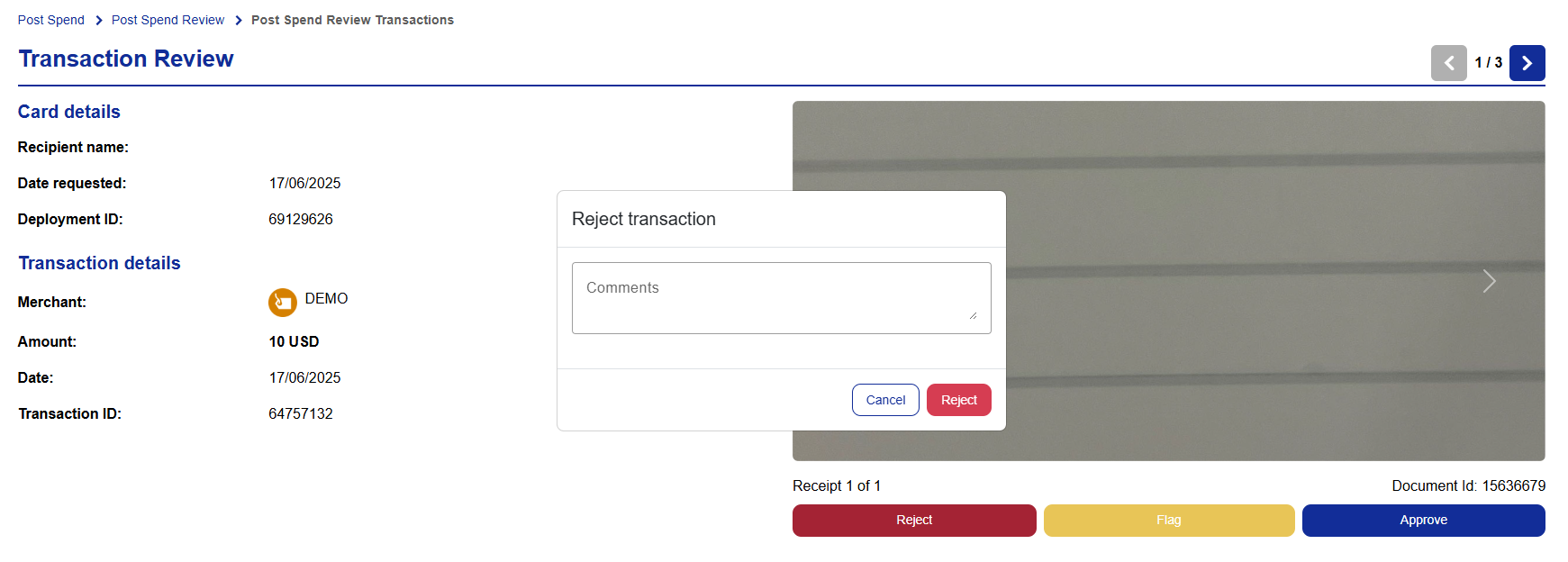
Click the Flag button to flag the transaction and enter a reason for flagging the transaction.