Visa Commercial Pay Reporting v7.2.1 Release Notes
Visa Commercial Pay Reporting v7.2.1 introduces improvements to existing features alongside bug fixes.
Improvements to Existing Features
We have made improvements to various elements of Visa Commercial Pay Reporting to improve search functionality across the product as well as increasing the amount of data that is displayed to the user.
When viewing a deployment in Visa Commercial Pay Reporting, the unique invoice collection email address will be displayed.
 |
We have added the following additional column to the deployment search results:
Card recipient—indicating which user the card deployment was sent to.

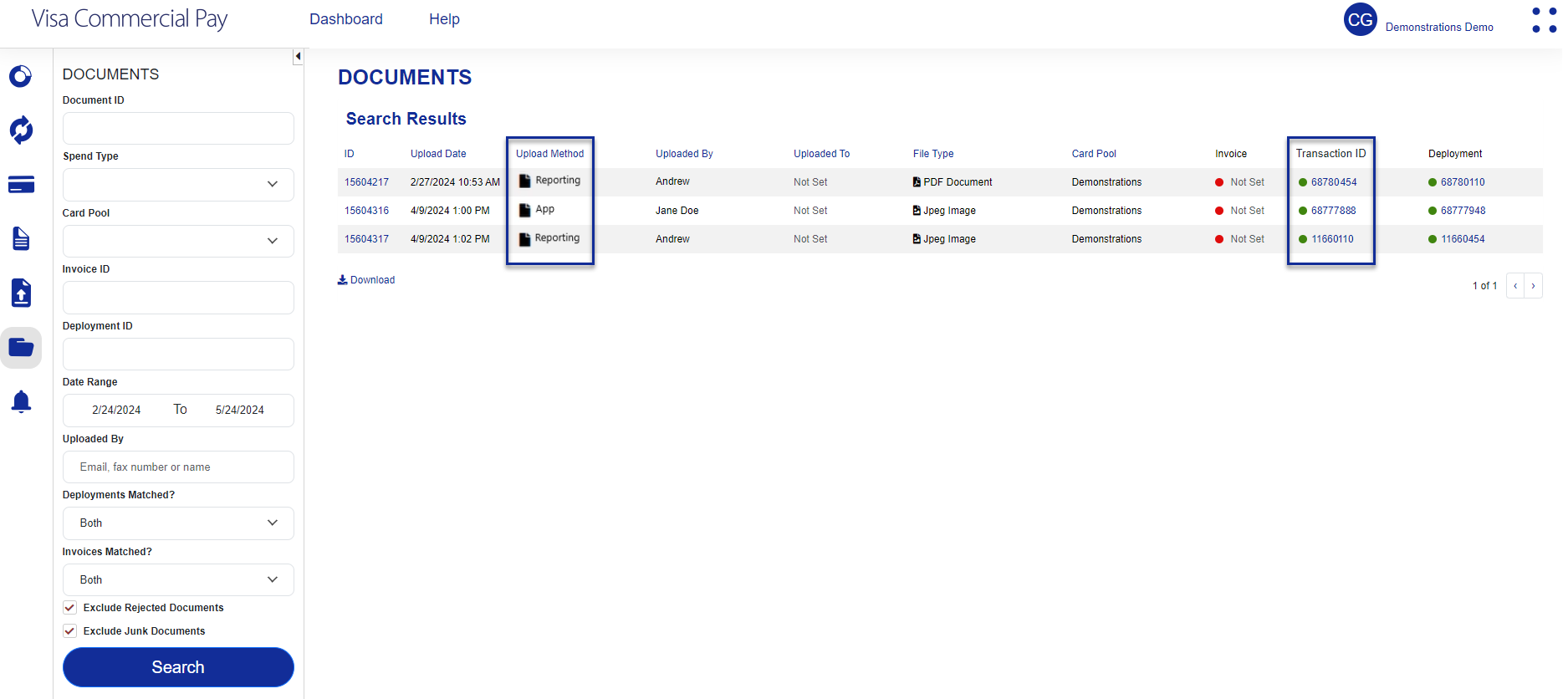
We have added the following additional columns to the document search results:
Transaction ID—indicating whether a document has been matched to a transaction.
Upload Method—indicating which product was used to upload the document, i.e. Visa Commercial Pay Online, Visa Commercial Pay Reporting, or the Visa Commercial Pay App.
We have added the following additional search options to Transaction and Document search criteria:
'Transactions matched' with the options 'Yes, No, Both'.
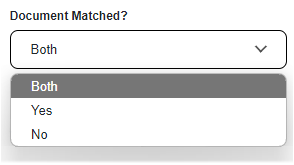
'Documents matched' with the options 'Yes, No, Both'.
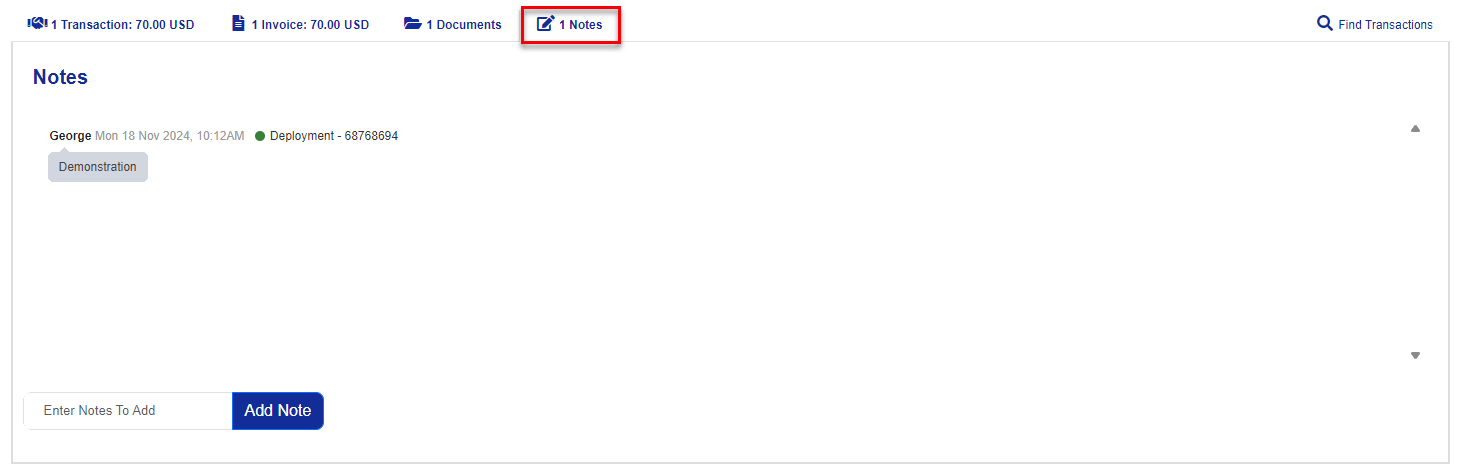
We have added an additional section when viewing a deployment labelled 'Additional deployment data', which will display the following data:
Requested by
Card recipient
Approved by
Approval date
Advanced card control template used
Team name

Matching Documents to Transactions
We have improved Visa Commercial Pay Reporting functionality by adding a workflow that allows users to manually match documents to transactions, linked documents will be shown when viewing a transaction. This workflow will match the current process of matching invoices to documents or matching transactions to deployments.
To locate any transactions that are not matched to documents
Select the Documents Search, choose 'No' for 'Transactions Matched?' and click Search.
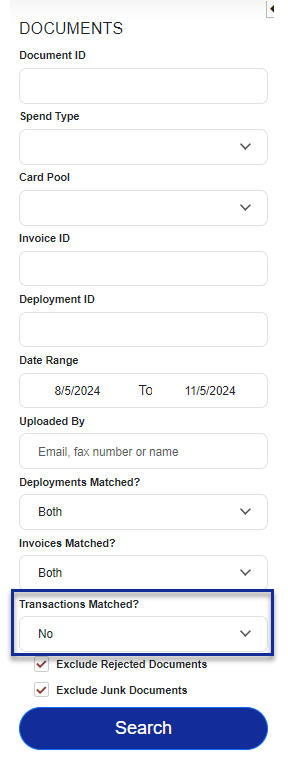
The search will return any unmatched documents that meet the criteria. Select a document from the list to view the details.
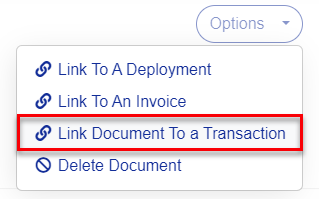
Click Options
Select Link Document to a Transaction
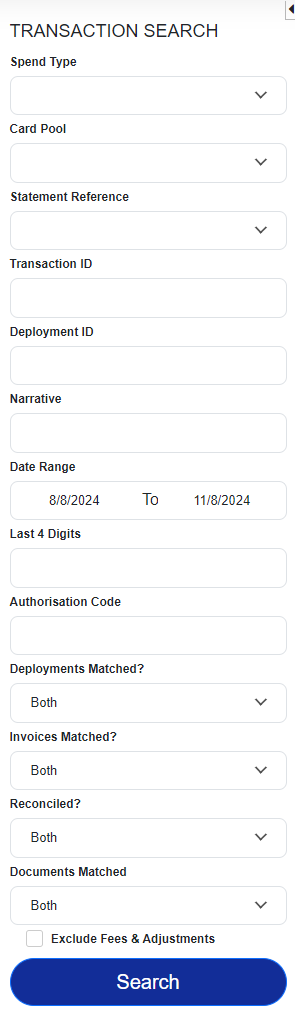
Use the Transaction search on the left hand side of the page to locate a transaction
Select a transaction from the search results
Click Link Document to a Transaction

Notable Bug Fixes
We have corrected errors related to accessibility requirements.
We have corrected errors within the Japanese language pack.
We have fixed an issue where the invoice category dropdown displays blank lines.