Search Cards in Online
You can search for all cards that have been deployed in Visa Commercial Pay Online from any Card Pool that you are linked to.
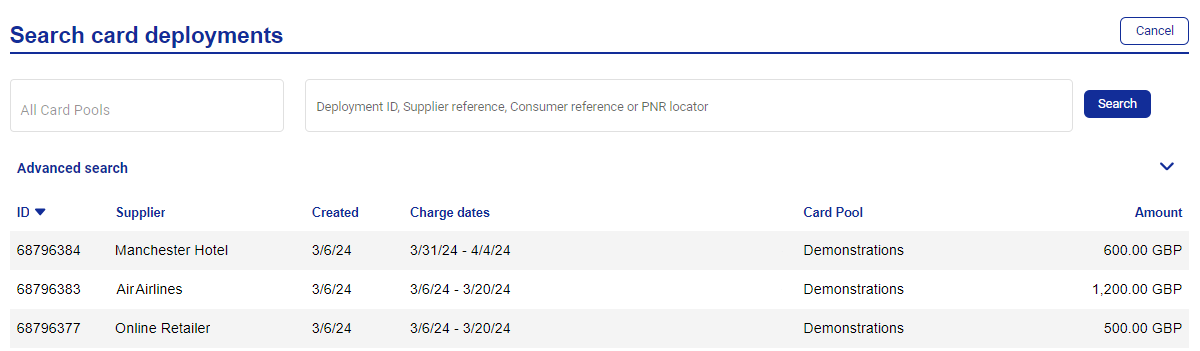
To search for all past card deployments click Search cards from the navigation bar.

Select a Card Pool and enter one of the following:
Deployment ID
Supplier reference
Consumer reference
PNR locator

Alternatively, you can search without entering any search terms to see all cards.
Click Search.
To view the details of a specific card deployment, click on the highlighted row.
There are alternative search options in advanced search.
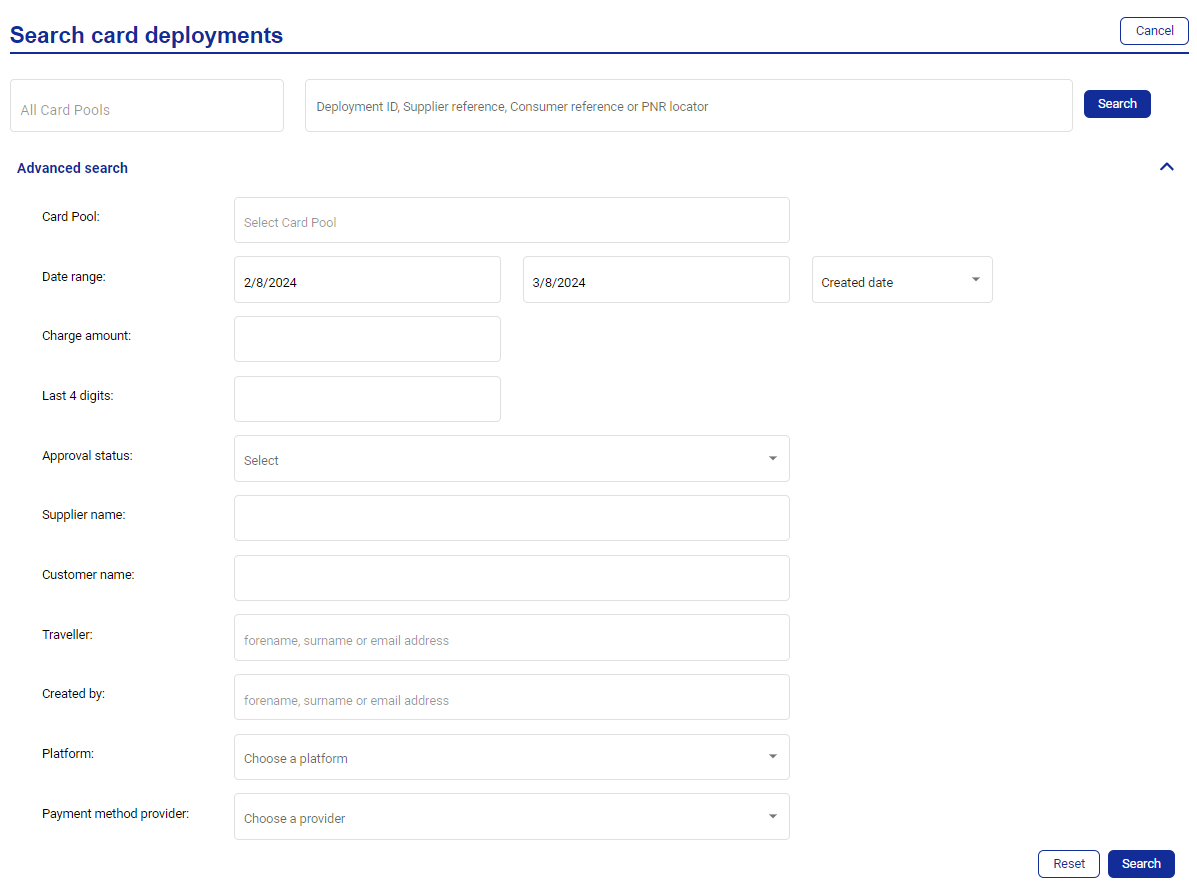 |
A table of all card deployments matching the search criteria entered is displayed—including expired and inactive cards. The more search criteria entered, the more accurate the search results will be.
Deployment Search for Travel Users
To enhance usability and data clarity for TMC Consumers, the following columns will be visible in the deployments search table:
Traveller Forename
Traveller Surname
Travel Date
Max Charge Amount
Fin Transaction (Settled Transaction Total)
Supplier Communication
 |
Note
Each row will redirect the user to the Communications Hub, where the communication results for the selected deployment will be shown.