Mobile Control v1.16 and Registration Site v2.2 Release Notes
Team Member Credential Reset
Access
Required User Role: Corporate Administrator
Availability: Default functionality
We have given Corporate Administrators the ability to reset Team Member credentials directly within Visa Commercial Pay Control. This prevents Corporate Administrators from needing to raise a support ticket to reset user details.
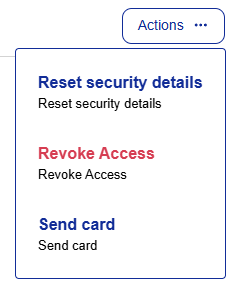
Search for and select a Team Member. From the Team Member page, click Actions and then click Reset security details.
Select one of the options displayed and click Reset.
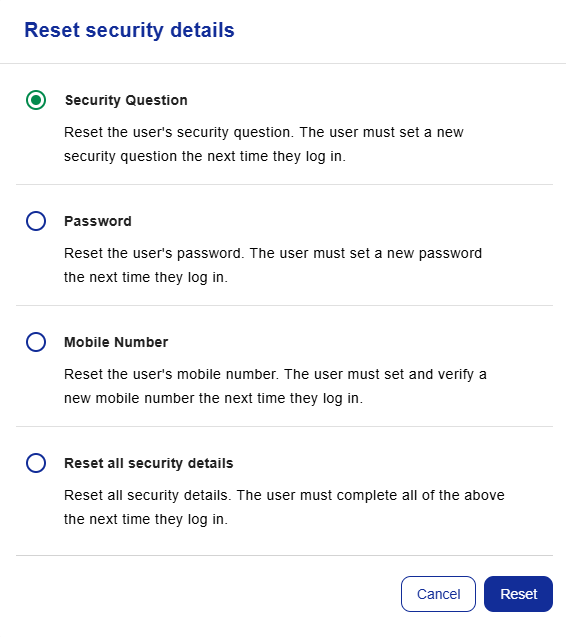
The following details can be reset:
Password
Security Question and Answer
Mobile Number
All of the above (full reset)
Team Members will receive an email notification containing a link to reset the relevant details. If the mobile number is reset, the user will be required to enter and verify a new mobile number the next time that they log into the Visa Commercial Pay App.