Visa Commercial Pay Online v3.36 Release Notes
Visa Commercial Pay Online v3.36 introduces the ability for issuers to create Card Issuer Admins, and a user role hierarchy that applies to all user roles.
Creating Card Issuer Admins
Access
Required User Role: Card Issuer Admin
Availability: Default functionality.
To allow Card Issuer Admins to create another Card Issuer Admin without submitting a support ticket, we have applied a predefined user role hierarchy. This hierarchy will allow users to create any type of user that matches their own user role level or lower.
To create a Card Issuer Admin:
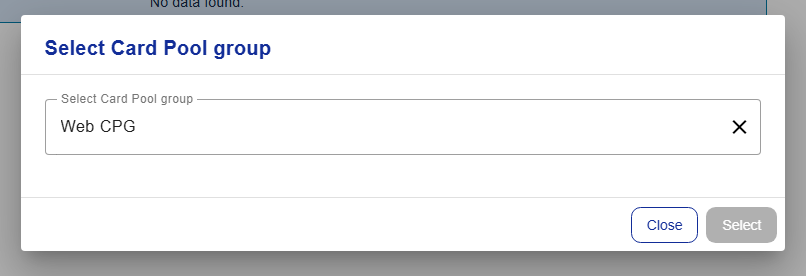
As a Card Issuer Admin, log into Visa Commercial Pay Online, click the profile icon, and then click Select a Card Pool group.
Select a Card Pool group and then click Select.
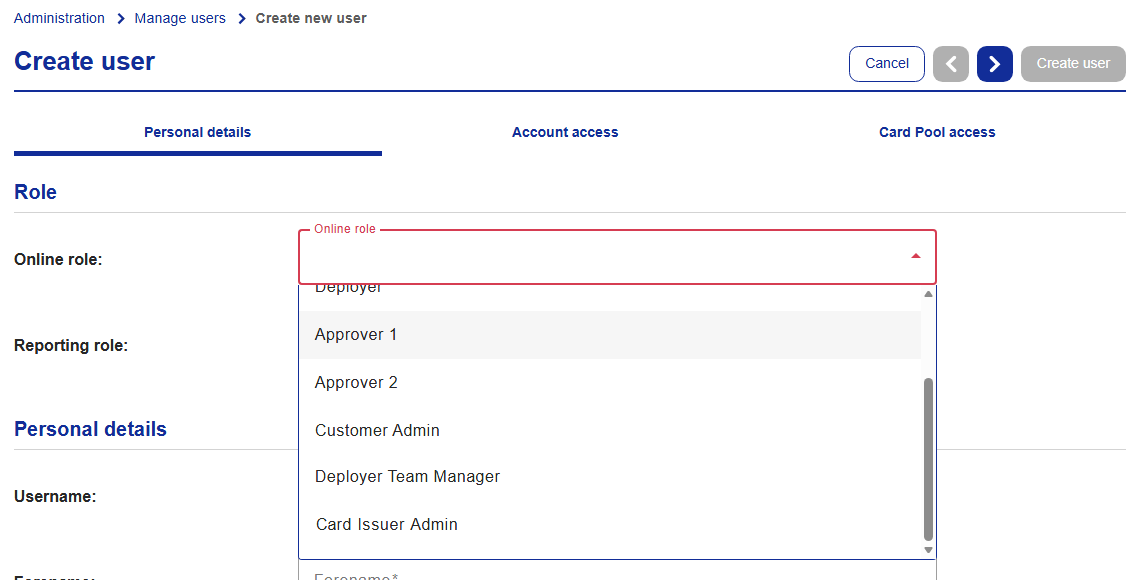
Create a new user and select Card Issuer Admin from the Online user role drop down.
User Role Hierarchy
All Visa Commercial Pay Online Admins are able to create or edit any type of user that matches their own user role level or lower.
The user role hierarchy is as follows:
User roles marked with an asterisk are able to create users.
Highest
Card Issuer Admin*
Customer Super Admin*
Customer Admin*
Approver 2, Approver 1, Deployer Team Manager, Deployer, Search Only, Reporting user, Reporting Administrator
Lowest