Mobile Application v5.13 Release Notes
Mobile Application v5.13 introduces the ability to unlink cards from Activities and bug fixes.
Unlinking Cards from Activities
We have added the ability for users to unlink cards from an Activity, where cards have been added incorrectly or by mistake. This prevents users from being required to delete Activities to remove unwanted cards or to correct errors.
To unlink a card from an Activity:
Open the Activity where the card is linked.
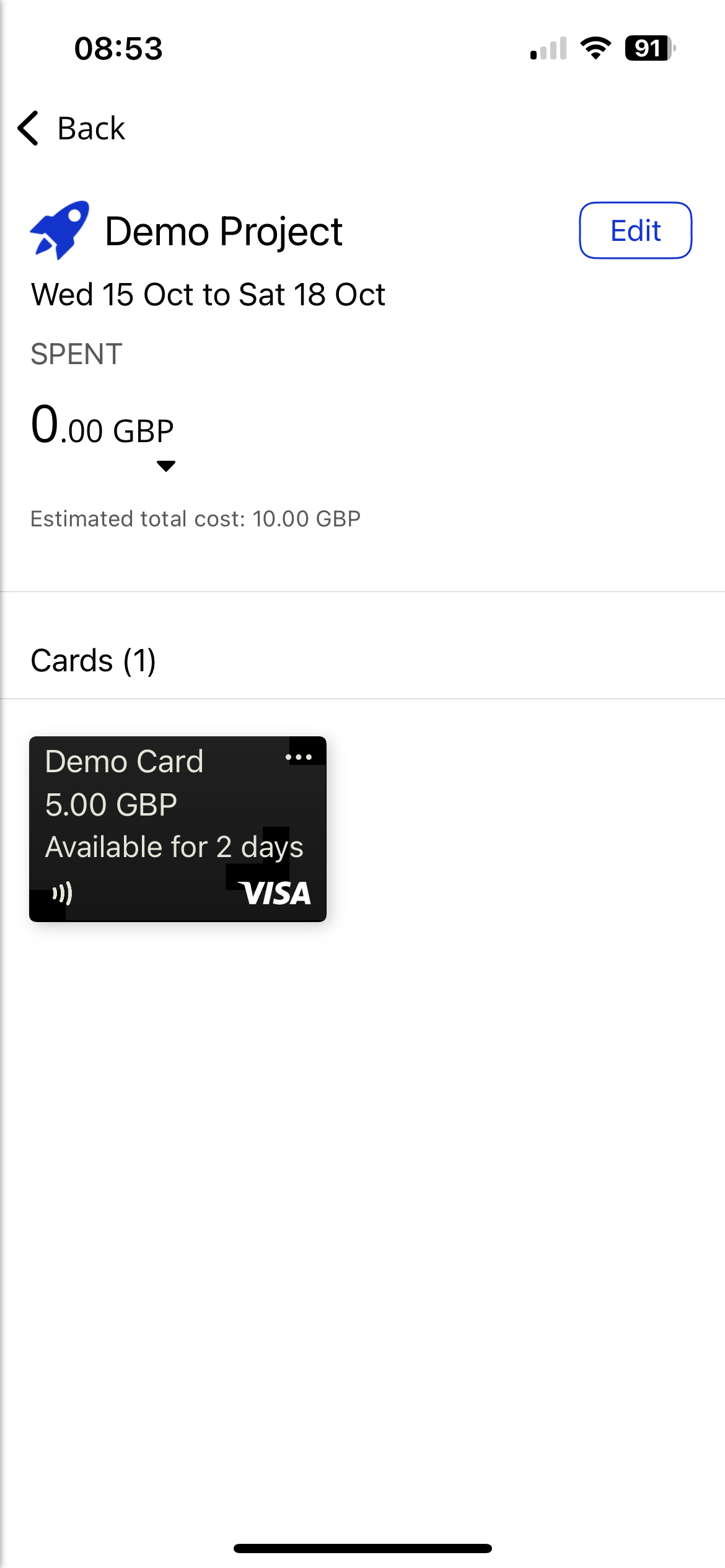
Tap the 3-dots in the top right-hand corner of the card that you want to unlink or move.
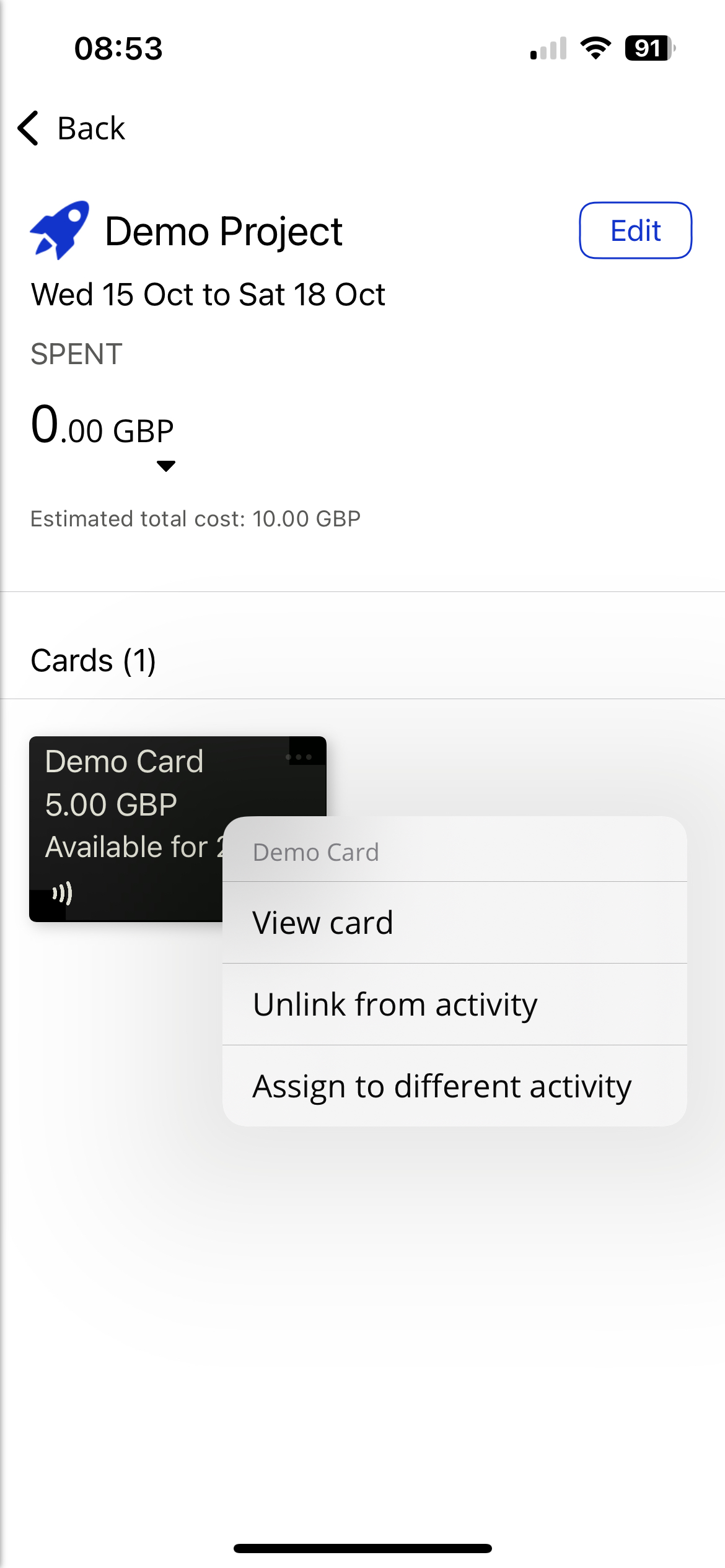
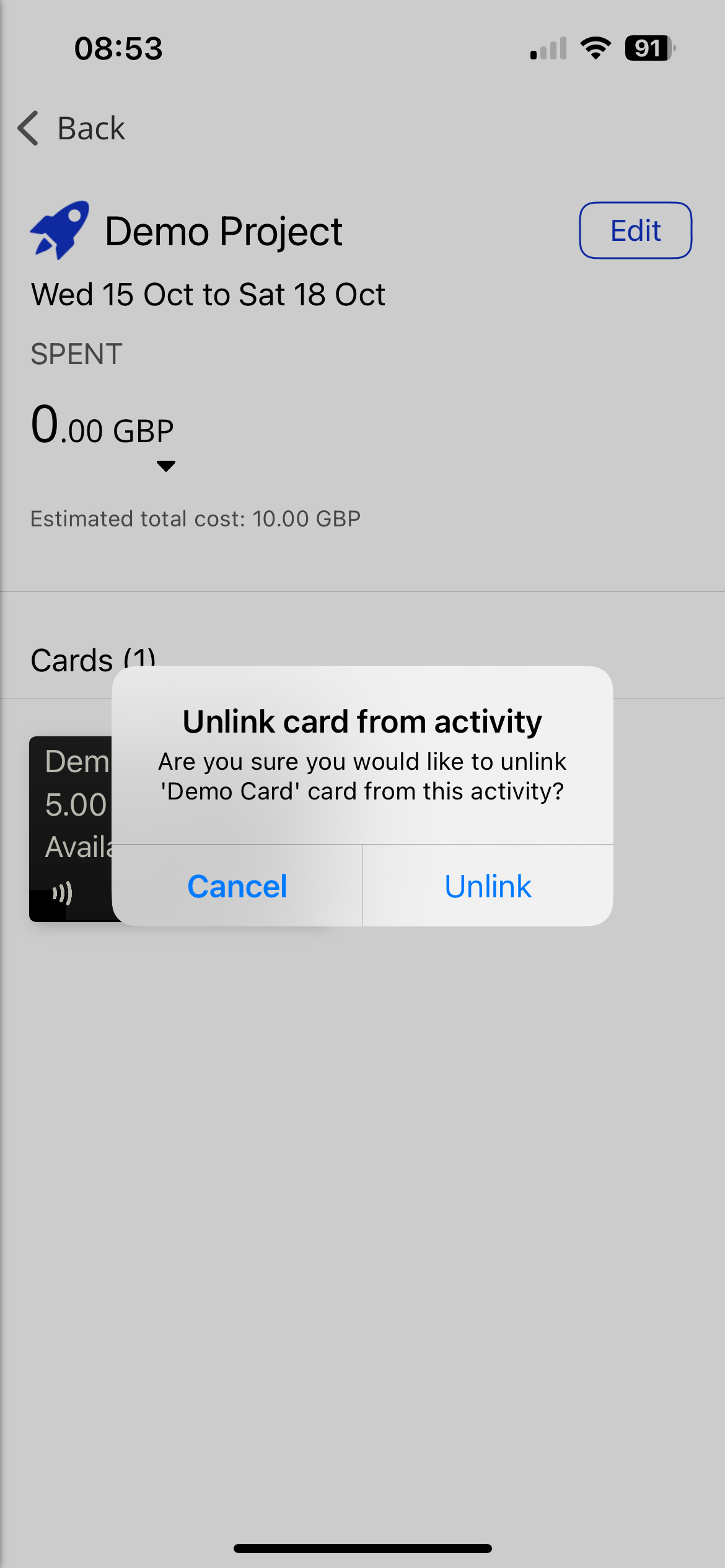
Tap Unlink from activity and then tap Unlink to remove the card from the Activity.
OR
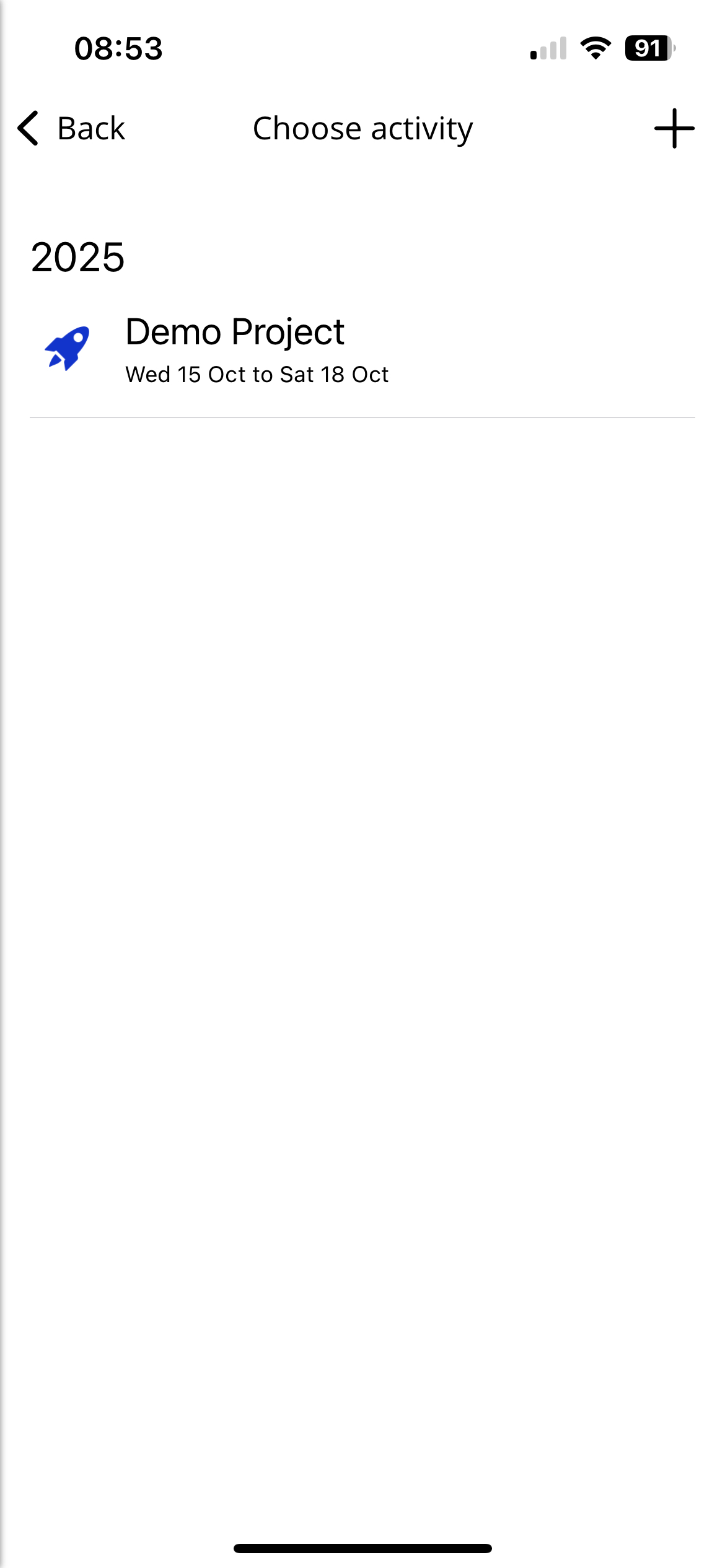
Tap Assign to different activity, select the Activity that you want to move the card to and tap Assign.
Notable Bug Fixes
(Android) We have fixed an error causing the app to crash when the user taps Manage.
(Android) We have fixed an issue affecting some translations of the app, where when editing a card the current deployment value is not shown in the Value field.
(Android) We have fixed an issue where when using SMS authentication to log in, the code did not appear under the autofill option.
(iOS) We have fixed an issue that was preventing users from logging in using biometrics when opening the app after force closing it, or when tapping a push notification from the lock screen.
(iOS) We are now preventing users from being able to share a document via their device's share options if they are not logged in.
(API) We have fixed an issue where the Secret Token was sometimes not returned correctly.
We have fixed an issue where the Expired Cards label does not show the correct amount of expired cards linked to the app user.
We have removed declined and zero authorisations from the Post Spend Review transaction list.
We have fixed an issue where the option to add a hotel card to your device's digital wallet did not display on the card details screen.