Team Budgets
Note
Team budget functionality is only visible for Team Admin app users.
Team Admins can view and download team budget reports for the current and previous months.
When using the app, Team Admins can see the active team budget at the bottom of their screen when a team is selected.
To view your team budget as a Team Admin:
Open the app, tap Teams and select a team.
Slide the team budget panel up to reveal the full overview.
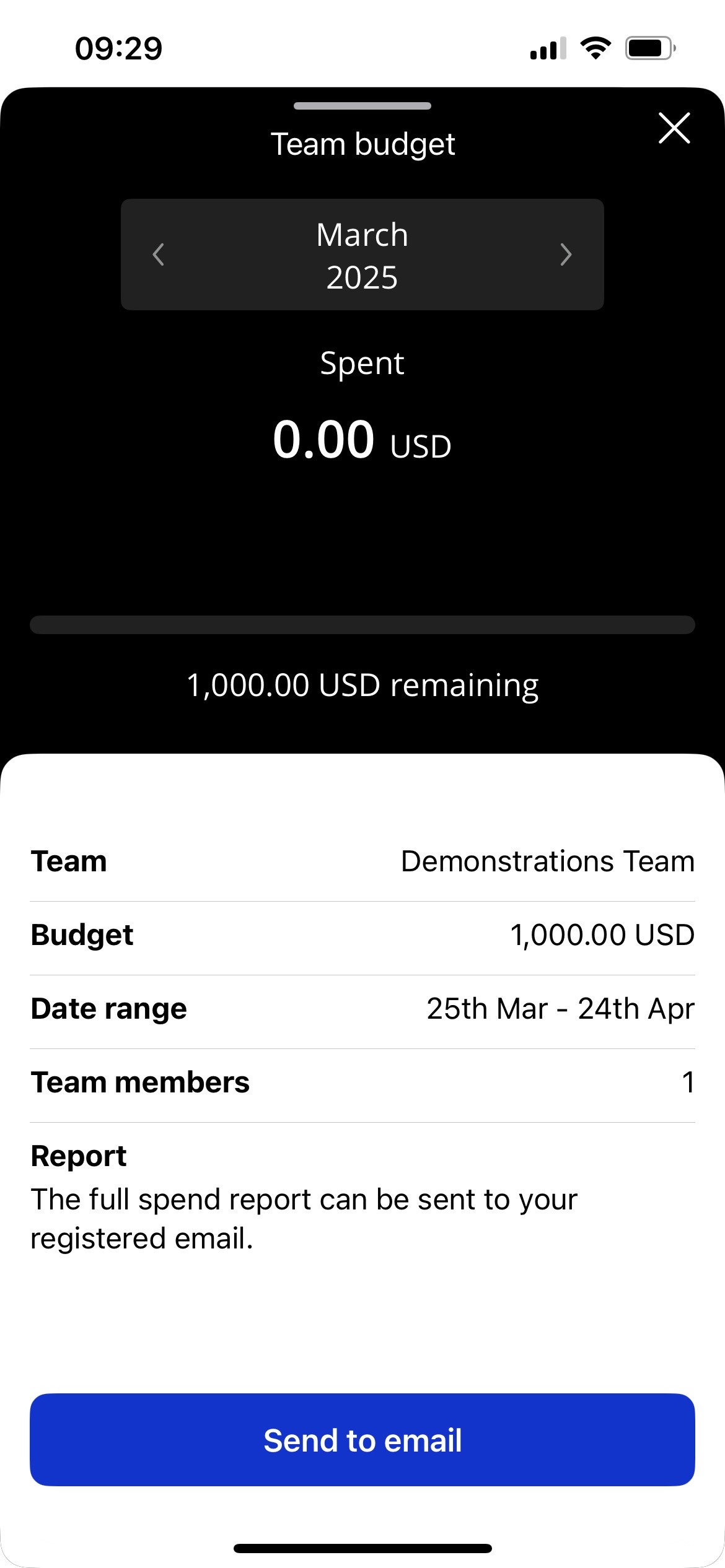
The team budget overview will display:
Review Period (Month/Year)
Total amount spent
Total amount remaining
Team name
Budget total
Date range of the budget period
Number of team members
Team Admins have the ability to pull both current and previous budget reports by changing the budget period and tapping Send to email. The report will be sent to the registered email address of the Team Admin.
Team Level Reporting
Team Admins will automatically receive email notifications for Visa Commercial Pay App spending, based on the budget period or statement period.
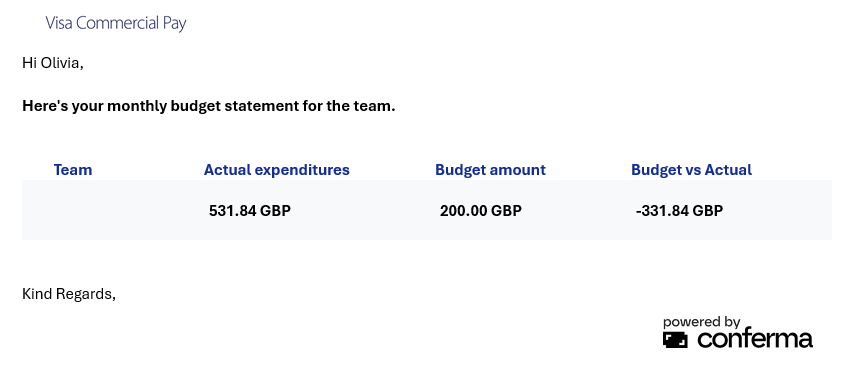 |
The Team Admin will receive an email notification that the report is available the day after the budget period or statement period. The email includes:
Actual expenditure—the total amount of transactions during the budget period
Budget amount—set by the Corporate Admin
Budget vs Actual—the difference between budget vs expenditures