View Transaction Information
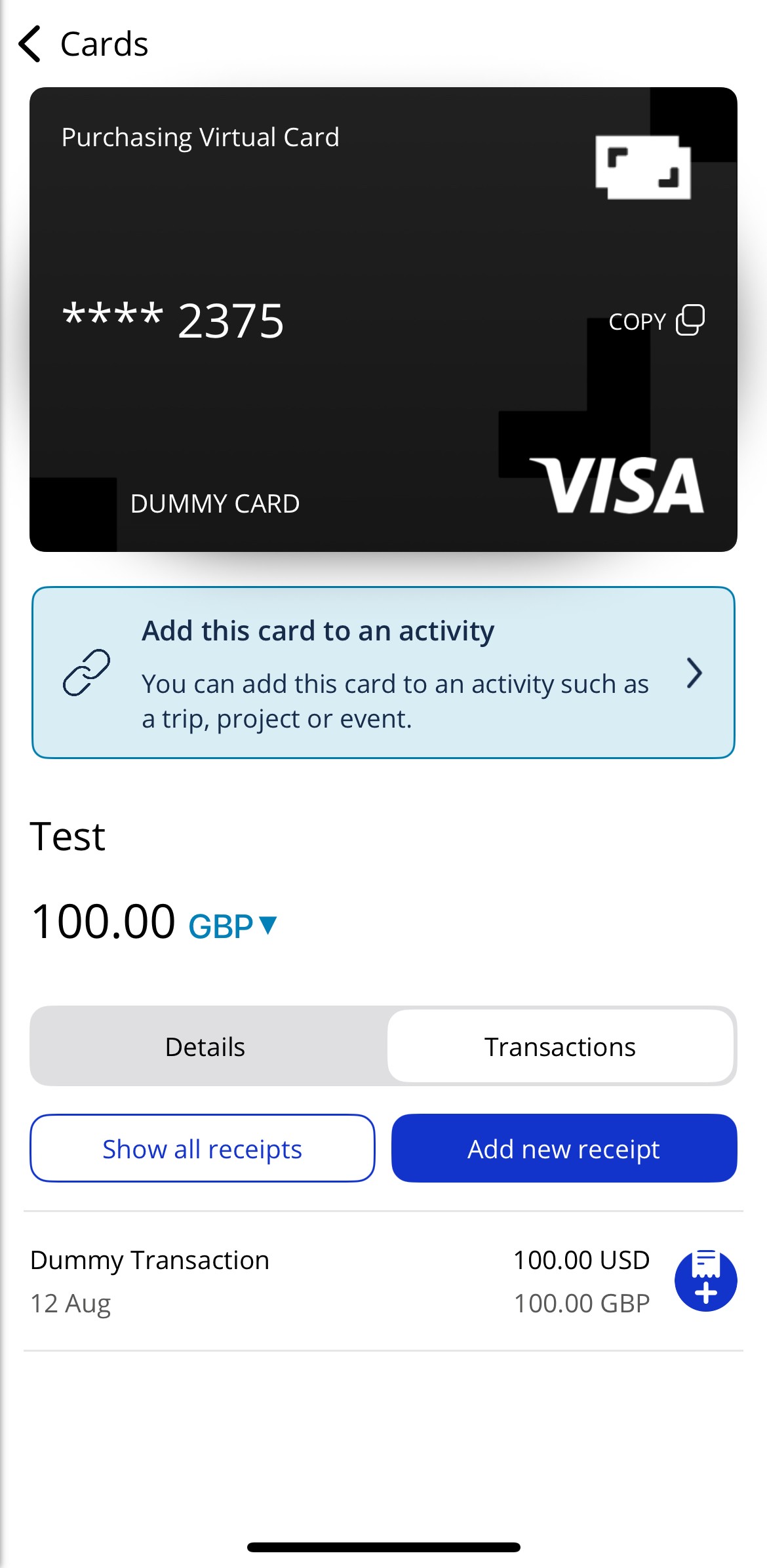
You can view details of individual transactions in the Visa Commercial Pay App via Card details > Transaction.
Transactions are shown as pending where supported by the issuer for Contactless and Online only cards. When not supported by the issuer, only settled transactions are made available once a daily transaction file is provided by the Card Issuer to Visa Commercial Pay. This transaction data normally arrives between 48 and 96 hours after the date of the transaction.
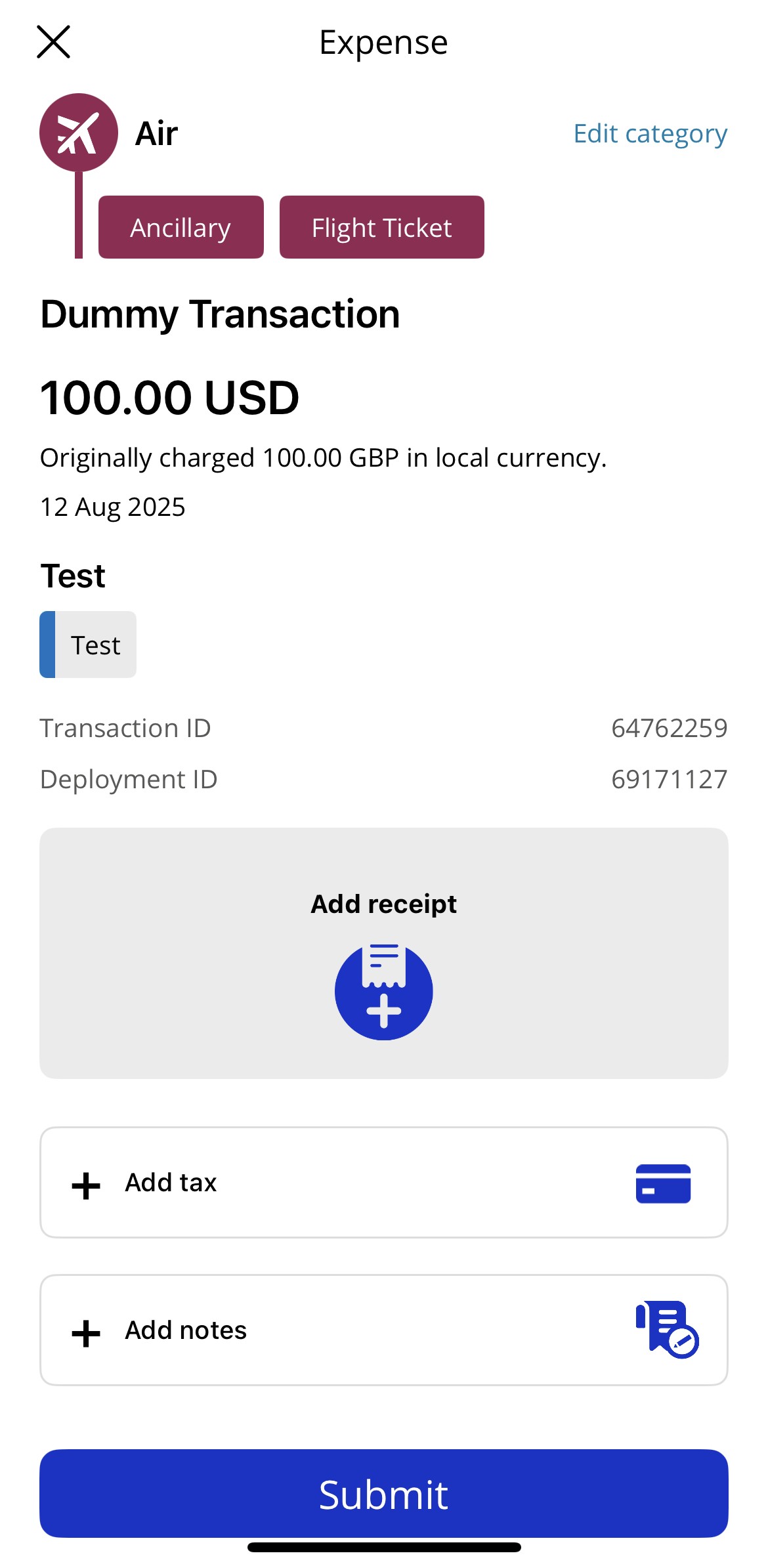
For each transaction you will see:
Total amount—relevant to the billing currency.
Merchant amount—only displayed when it differs from the billing amount and currency.
Merchant narrative—the name of the merchant that charged the card.
Transaction date—the date the charge was processed by the merchant.
Transaction category—Visa Commercial Pay App transaction category group.
Add notes— you can add notes to the transaction for your records. This is also made available in Visa Commercial Pay Reporting.
Add tax—if known, you can add the tax amount per transaction.
Transaction ID—the unique Visa Commercial Pay platform transaction ID. This is available in Visa Commercial Pay Reporting.
Show all receipts—tap to view any receipts you have associated with the transaction. You can also zoom in/out on your receipts.
Add new receipt —tap to upload a receipt.
|
|