Visa Commercial Pay Online v3.23 Release Notes
Note
This release was originally intended to be v3.22. Release v3.22 now contains mandatory document uploads.
Visa Commercial Pay Online v3.23 introduces enhancements to the Orchestration module.
Orchestration Dashboard
We have added a dynamic dashboard to the Orchestration module to improve the user experience and provide more data. This is available to users with access to Orchestration in Visa Commercial Pay Online. Any users that already have access to the Orchestration module will have access to the dynamic dashboard on release.
Note
The dashboard will be displayed by default. To create routing rules, click Routing rules from the navigation bar.
Timeframe Filter
Users will be able to view data on the dashboard for the following timeframe options:
Today
Last 7 days
Last 28 days
By default, the timeframe is set to Today and all rule types are displayed. Users can filter rule types by selecting one from the dropdown:
Redirect
Load balance
Block
Users can also filter by currency.
 |
Dashboard Widgets
The dashboard includes five new widgets:
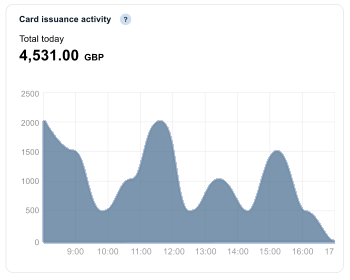
Card issuance activity—a graph displays the total value of all cards that have gone through the routing rules.
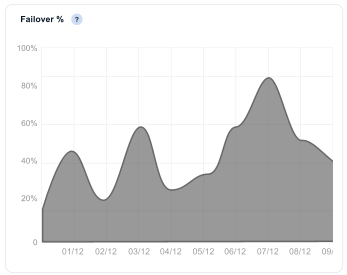
Failover %—a graph displays the percentage of cards that have gone through the failover process.
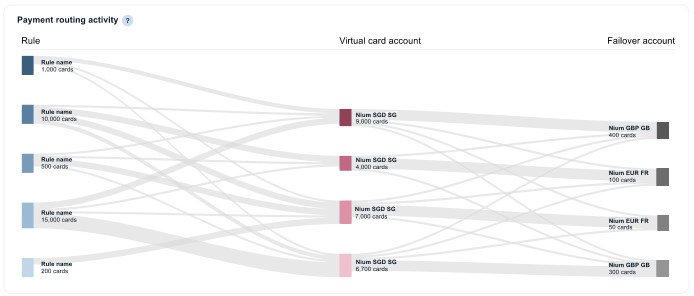
Payment routing activity—a graphical display of a routing rule journey, from original Card Pool to routed Card Pool or failover Card Pool. Each point of the journey displays the total number of cards.
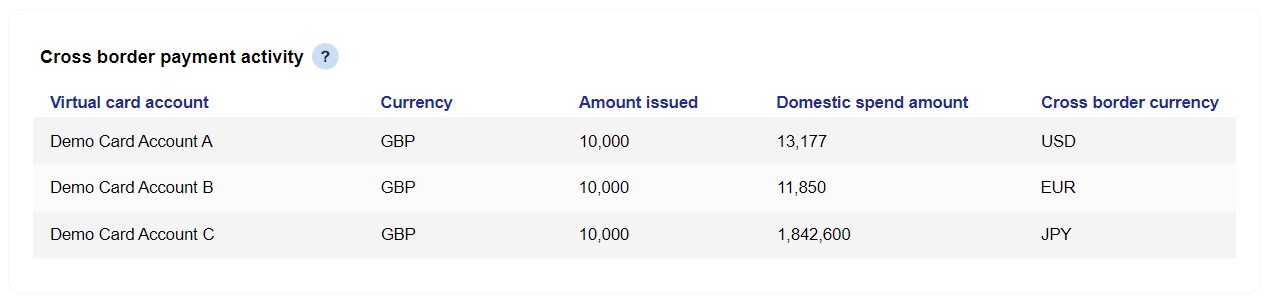
Cross border payment activity—a table view displaying details of deployments where the deployment currency is different to the Card Pool currency:
Currency—displays the Card Pool currency
Amount issued—this refers to the amount issued from the specified Card Pool, in the Card Pool's currency
Domestic spend amount—the value of the card in the deployment currency
Cross border currency—displays the deployment currency
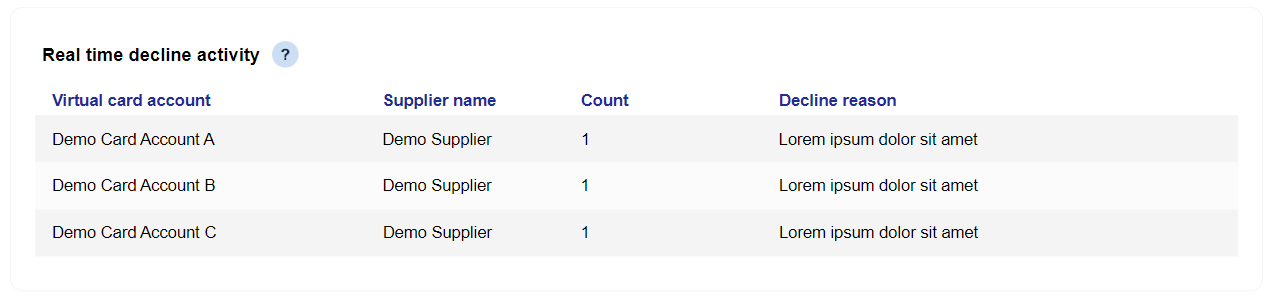
Real-time decline activity—a table displaying details of deployments where a transaction has been declined. A decline reason will also be displayed.
Routing Rule Improvements
We have made some improvements to routing rule functionality to provide more options for configuration.
Routing Rule Multi-Select
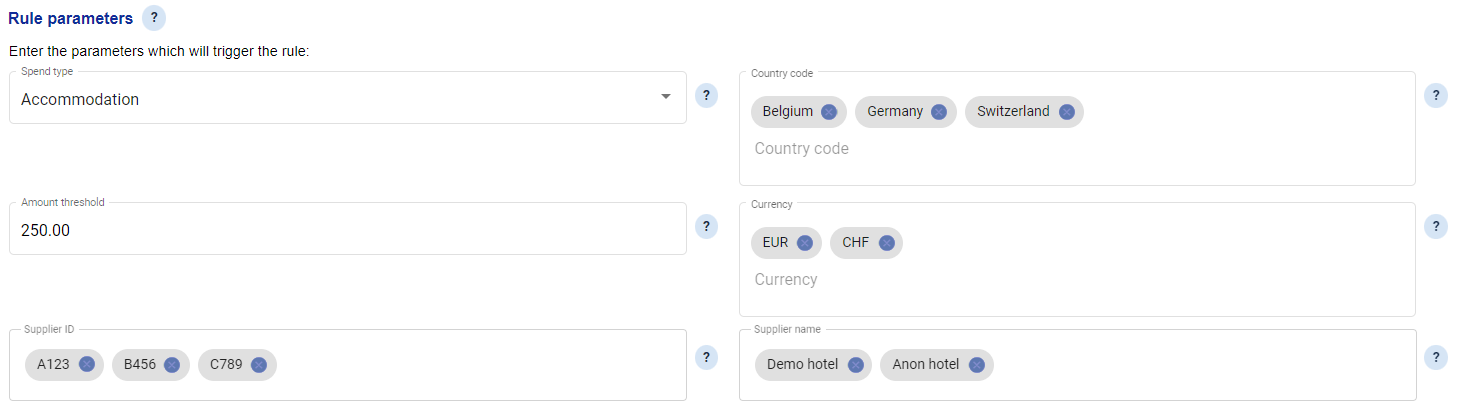
We are allowing users to enter multiple values for the following fields, this will remove previous limitations:
Country code
Currency
Supplier ID
We have added a Supplier Name field that will allow users to route a card based on the supplier.
 |
Multi-Select will be available to all users that are able to create routing rules within the Orchestration module of Visa Commercial Pay Online.
Configuring Advanced Card Controls against Routing Rules
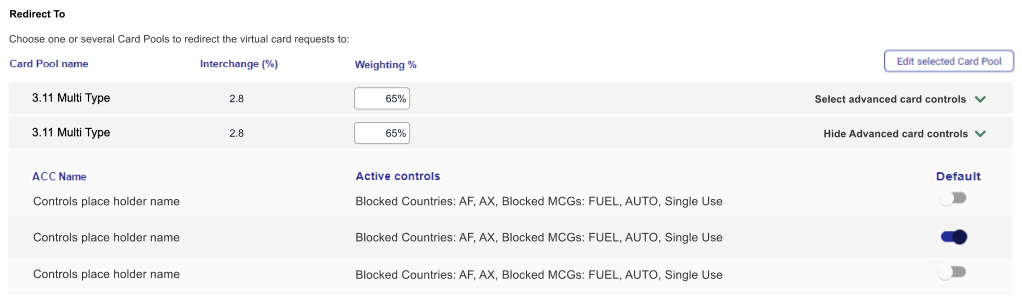
We have added advanced card control functionality to routing rules to give users more control over cards that are routed via Orchestration. If the Card Pool that is linked to a routing rule has advanced card control templates configured against it, they will be displayed as options to be set against the routing rule.
Selecting an advanced card control template when creating a routing rule will only affect rerouted cards.
When a routing rule is triggered the advanced card control template that has been configured will be applied to the card.
 |