Spend and Emissions Summary
The Visa Commercial Pay App will track your total spend and CO2 impact.
*CO2 and Spend Summary
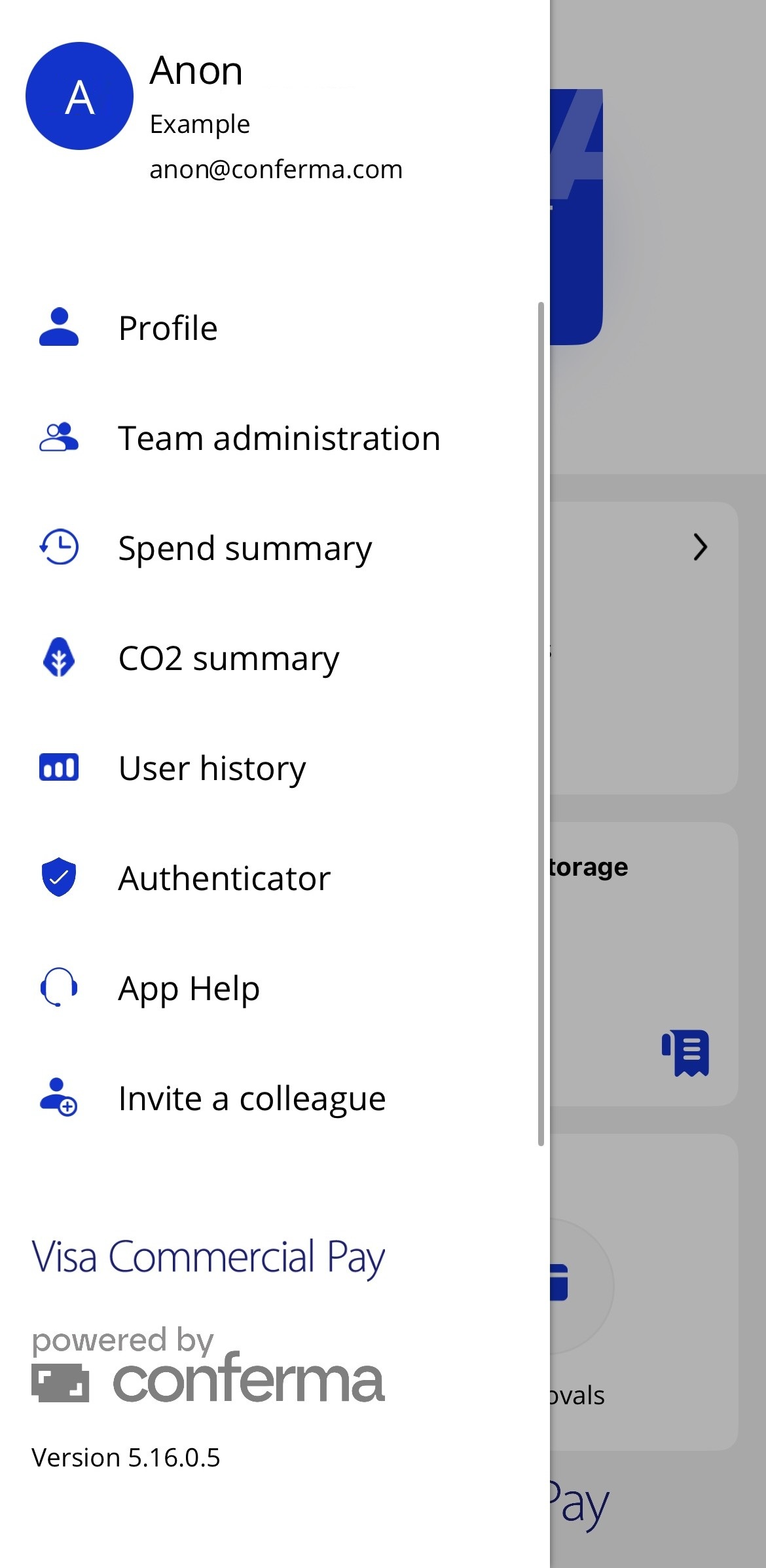
To view the spend and emissions summary, open the side menu from the home screen, and then tap Spend summary or CO2 summary. |
|
Spend Summary
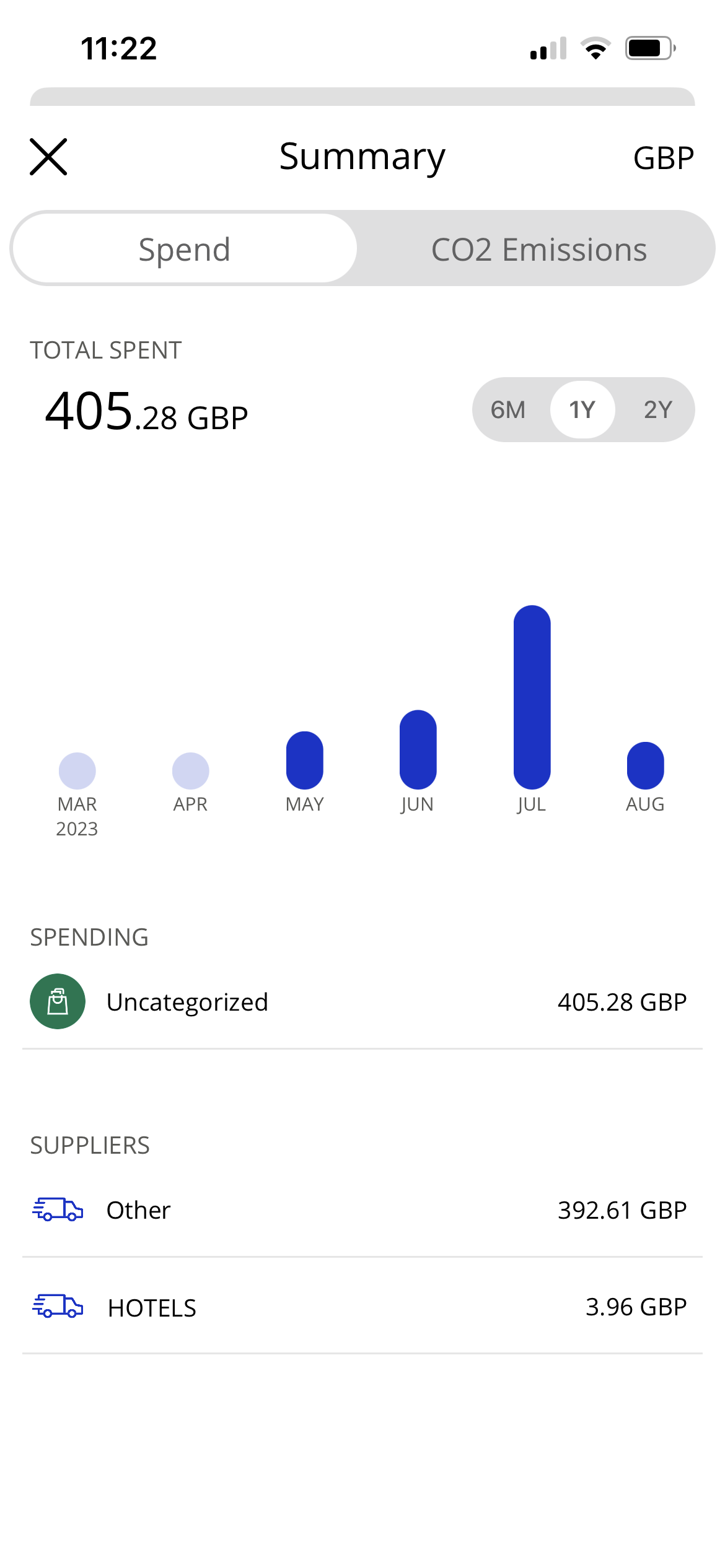
Tap Spend summary to view your total spend per six months, one year or two years.
You can see your total spend per merchant category and by supplier.
 |
Emissions Summary
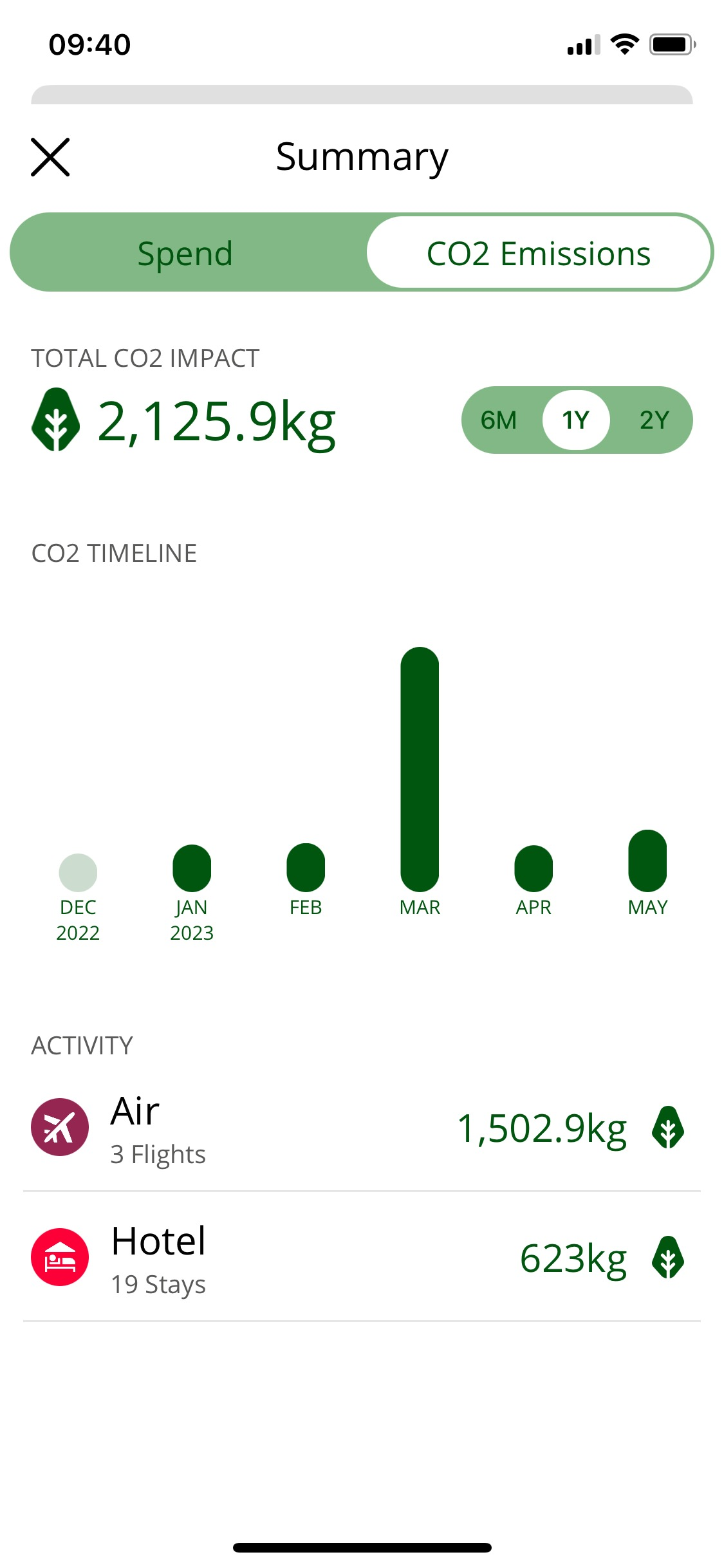
Tap Emissions summary to view your total CO2 impact (kg) per six months, one year or two years. This functionality is only available for cards that have been created via your Travel Management Company (TMC). If you do not use the app through a TMC, your CO2 emissions will not be tracked.
You can also see your CO2 impact when viewing a card. Either tap an active card or tap cards to view expired cards.
 |